18+
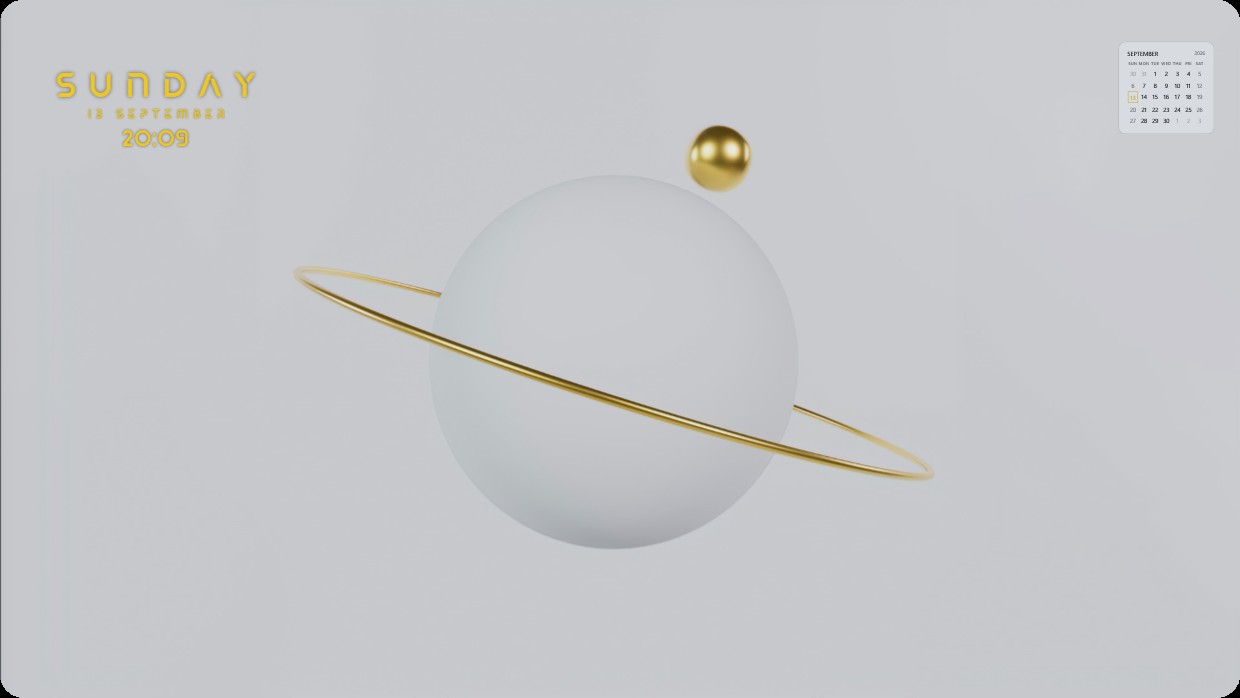
Golden Orbit
 par Vealo
3
2
0
par Vealo
3
2
0
Tu ne trouves pas ce setup dans Vealo ou Steam ? Steam masque les 18+ tant que le contenu pour adultes n'est pas autorisé dans les paramètres. Ouvrir les paramètres Steam
Contenu
Bureau completFond animé4KMonochromeHorlogeCalendrierÉclairage
This setup features a minimalist planet with a thin golden ring and a small moon against a pale grey background. The scene is softly lit with warm gold accents. A clock shows the day and time in elegant yellow text on the left, while a calendar floats in the top right corner. All elements are transparent and blend seamlessly into the wallpaper. It’s a full desktop with live wallpaper and 4K resolution. Ideal for someone who prefers clean, modern aesthetics.
Comment installer ce setup
- Installe Vealo depuis Steam. La version gratuite suffit.
- Clique sur « S'abonner dans Steam » sur cette page, ou retrouve le setup dans l'onglet « Workshop » de Vealo.
- Ouvre Vealo, va dans le Studio, onglet « Workshop », « Mes setups », puis clique sur « Appliquer ». Fond d'écran, thème, widgets, curseur et éclairage changent en un clic. La taille de tes icônes reste celle que tu as choisie.
Setups similaires
Tous les setups
Un bureau net en un clic
Essayez-la sur votre machine avant tout achat.
Windows 10 / 11