18+
Dangerous Hacker
 Vealo द्वारा
3
7
0
Vealo द्वारा
3
7
0
यह सेटअप Vealo या Steam में नहीं दिख रहा? जब तक सेटिंग्स में वयस्क कंटेंट की अनुमति न हो, Steam 18+ छिपाता है। Steam सेटिंग्स खोलें
अंदर क्या है
पूरा डेस्कटॉपलाइव वॉलपेपर4Kलालघड़ीप्लेयरकैलेंडरलाइटिंग
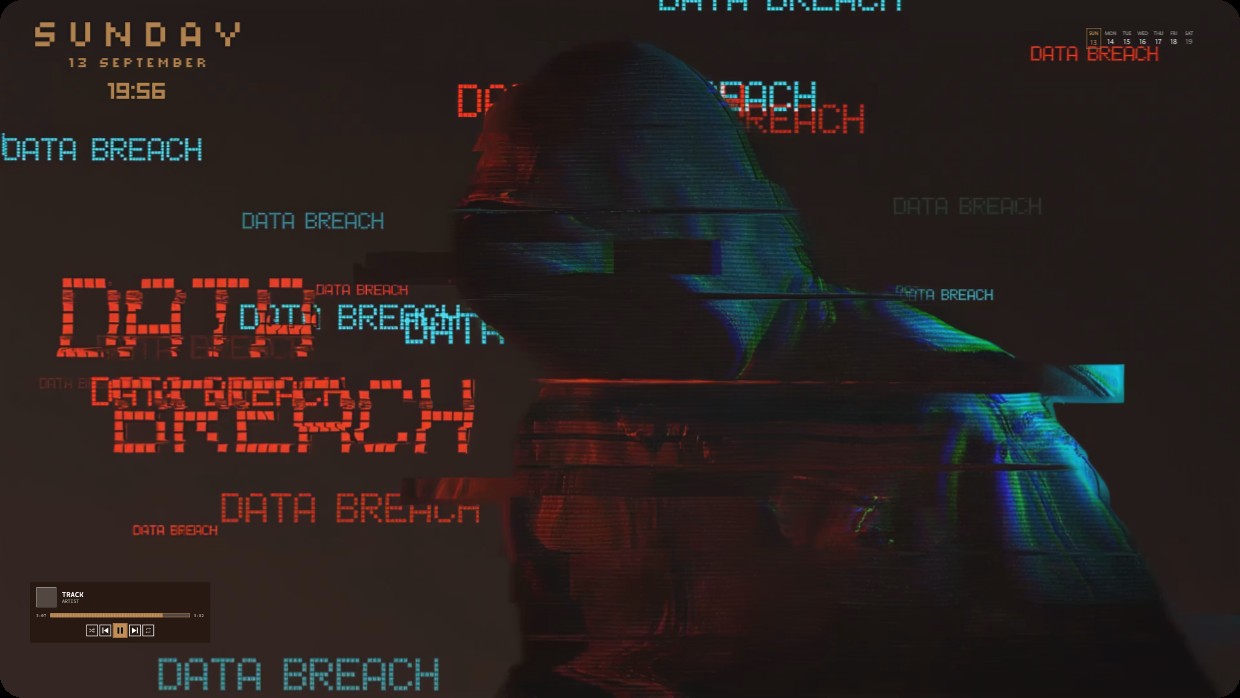
A hooded figure is shown in a glitchy digital overlay with the text DATA BREACH repeated across the screen. The scene uses dark tones with red blue and teal highlights creating a cold contrasty feel. The mood is tense and cyberpunk. A clock shows Sunday 13 September 19:56 at top left. A player widget sits bottom left. A calendar icon appears top right. Lighting adds subtle glow to the figure. This full desktop setup runs live wallpaper in 4K. Fans of digital espionage themes will like it.
यह सेटअप कैसे इंस्टॉल करें
- Steam से Vealo इंस्टॉल करें। मुफ़्त वर्ज़न काफ़ी है।
- इस पेज पर «Steam में सब्सक्राइब करें» दबाएँ, या Vealo के अंदर «Workshop» टैब में यह सेटअप ढूँढें।
- Vealo खोलें, Studio में जाएँ, «Workshop» टैब, «मेरे सेटअप», और «लागू करें» दबाएँ। वॉलपेपर, थीम, विजेट, कर्सर और लाइटिंग एक क्लिक में बदल जाते हैं। आइकन का साइज़ आपका ही रहता है।
मिलते-जुलते सेटअप
सभी सेटअप

एक क्लिक में साफ़ डेस्कटॉप
कुछ भी खरीदने से पहले अपने कंप्यूटर पर आज़माएँ।
Windows 10 / 11