18+
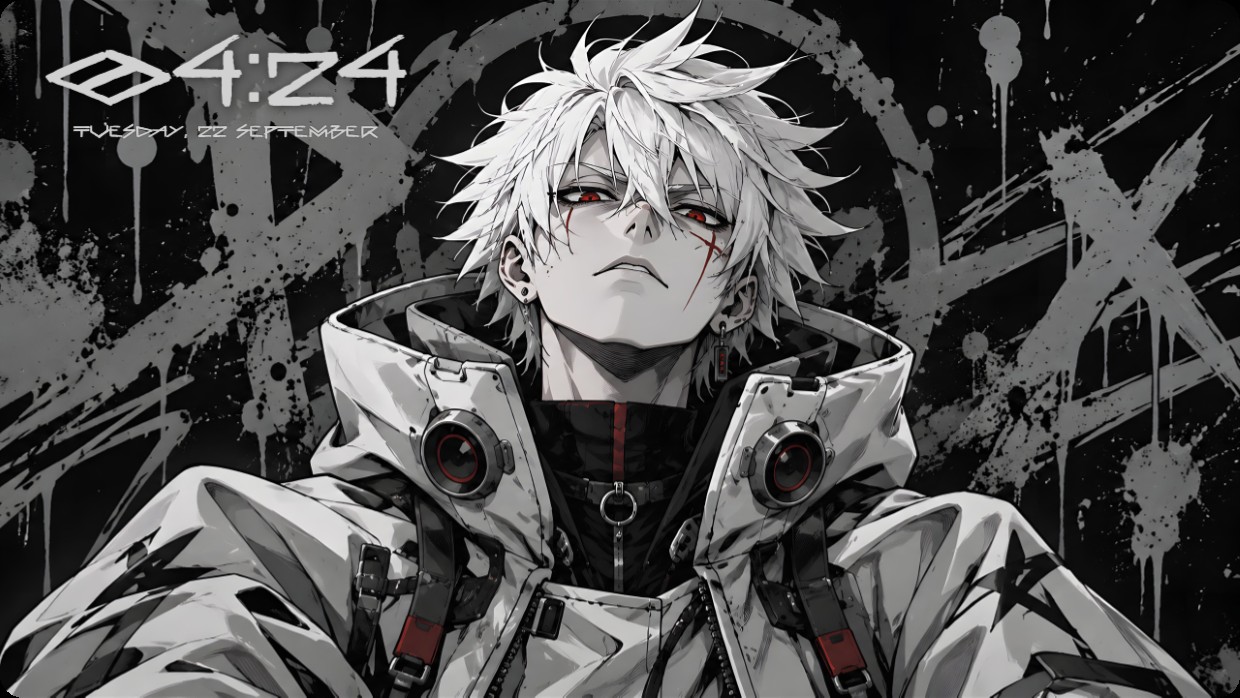
Grey Anime Man With Red Eyes
 Vealo द्वारा
4
3
0
Vealo द्वारा
4
3
0
यह सेटअप Vealo या Steam में नहीं दिख रहा? जब तक सेटिंग्स में वयस्क कंटेंट की अनुमति न हो, Steam 18+ छिपाता है। Steam सेटिंग्स खोलें
अंदर क्या है
विजेट लेआउट2Kएकरंगीघड़ीइफ़ेक्ट्सलाइटिंग
The wallpaper features a white-haired anime character in a high-collared jacket with red eyes and facial markings. The background is dark grey with paint splatters and a large 'X'. The main colors are black, white, and grey with red accents. The mood is intense and moody. A clock and date widget sit top left in white text on semi-transparent black. The layout includes effects and lighting. This setup suits fans of anime aesthetics.
यह सेटअप कैसे इंस्टॉल करें
- Steam से Vealo इंस्टॉल करें। मुफ़्त वर्ज़न काफ़ी है।
- इस पेज पर «Steam में सब्सक्राइब करें» दबाएँ, या Vealo के अंदर «Workshop» टैब में यह सेटअप ढूँढें।
- Vealo खोलें, Studio में जाएँ, «Workshop» टैब, «मेरे सेटअप», और «लागू करें» दबाएँ। वॉलपेपर, थीम, विजेट, कर्सर और लाइटिंग एक क्लिक में बदल जाते हैं। आइकन का साइज़ आपका ही रहता है।
मिलते-जुलते सेटअप
सभी सेटअप
एक क्लिक में साफ़ डेस्कटॉप
कुछ भी खरीदने से पहले अपने कंप्यूटर पर आज़माएँ।
Windows 10 / 11