18+
Niskira's Foggy Forest
 Niskira द्वारा
2
3
0
Niskira द्वारा
2
3
0
यह सेटअप Vealo या Steam में नहीं दिख रहा? जब तक सेटिंग्स में वयस्क कंटेंट की अनुमति न हो, Steam 18+ छिपाता है। Steam सेटिंग्स खोलें
अंदर क्या है
विजेट लेआउट4Kनीलाघड़ीसिस्टममौसमइफ़ेक्ट्स
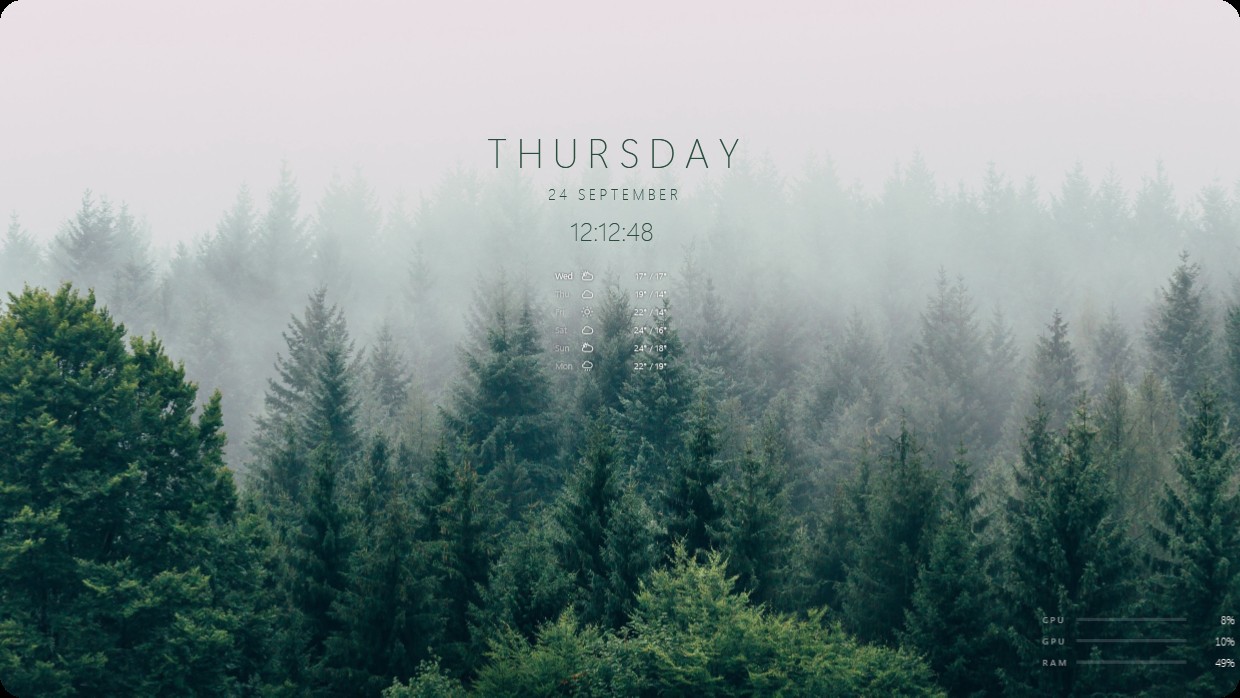
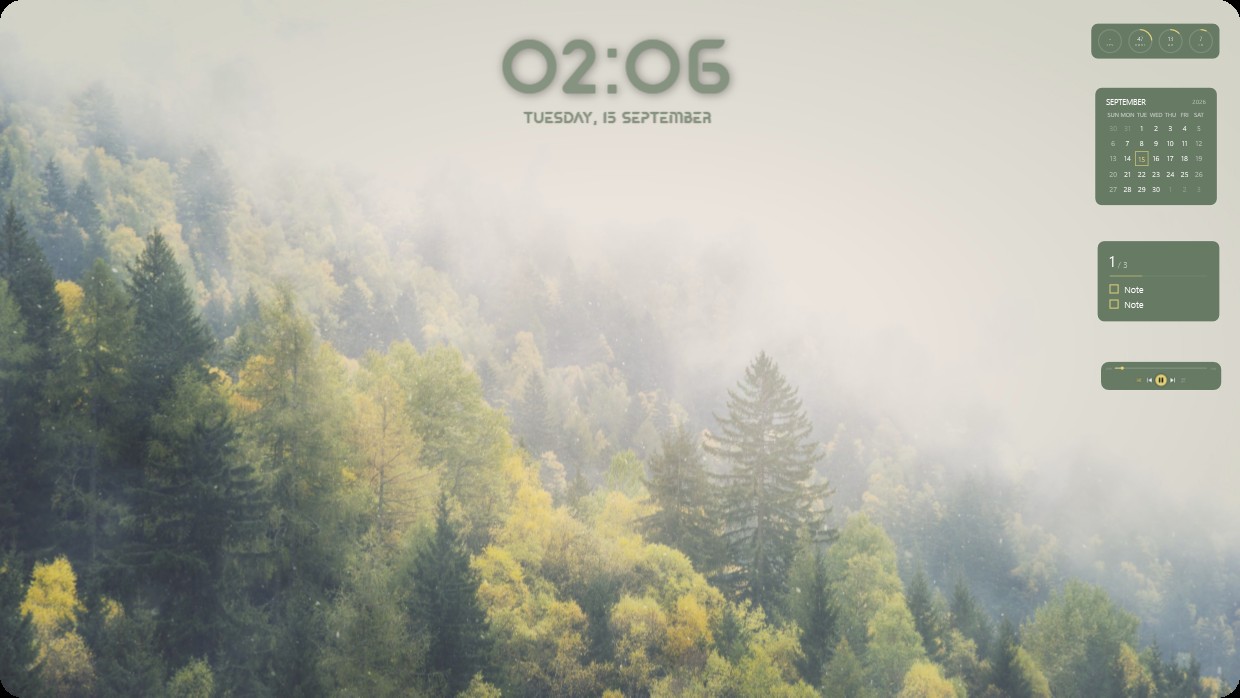
A misty forest of tall pine trees fills the wallpaper. The scene is soft and cool in tone, dominated by muted greens and greys. A central widget shows Thursday 24 September and the time. Below it, a weather forecast for the week appears with icons and temperatures. In the bottom right corner, system meters display CPU GPU and RAM usage. The text uses thin, light grey sans-serif fonts that blend subtly into the background. This setup is ideal for someone who prefers quiet natural scenes.
यह सेटअप कैसे इंस्टॉल करें
- Steam से Vealo इंस्टॉल करें। मुफ़्त वर्ज़न काफ़ी है।
- इस पेज पर «Steam में सब्सक्राइब करें» दबाएँ, या Vealo के अंदर «Workshop» टैब में यह सेटअप ढूँढें।
- Vealo खोलें, Studio में जाएँ, «Workshop» टैब, «मेरे सेटअप», और «लागू करें» दबाएँ। वॉलपेपर, थीम, विजेट, कर्सर और लाइटिंग एक क्लिक में बदल जाते हैं। आइकन का साइज़ आपका ही रहता है।
मिलते-जुलते सेटअप
सभी सेटअप
 Vealo
Vealo


एक क्लिक में साफ़ डेस्कटॉप
कुछ भी खरीदने से पहले अपने कंप्यूटर पर आज़माएँ।
Windows 10 / 11