18+
Minecraft Chill
 Vealo द्वारा
2
3
1
Vealo द्वारा
2
3
1
यह सेटअप Vealo या Steam में नहीं दिख रहा? जब तक सेटिंग्स में वयस्क कंटेंट की अनुमति न हो, Steam 18+ छिपाता है। Steam सेटिंग्स खोलें
अंदर क्या है
विजेट लेआउट2Kपीलाघड़ीप्लेयरकैलेंडरइफ़ेक्ट्सलाइटिंग
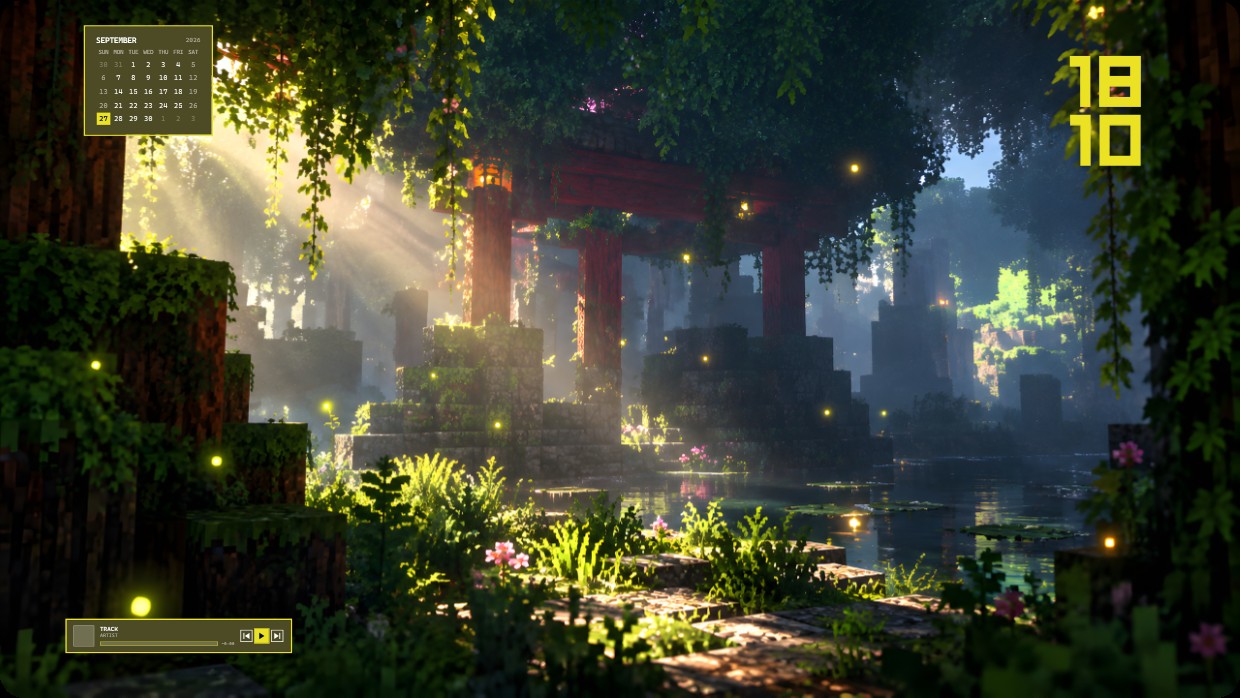
The wallpaper shows a Minecraft scene with sunlight filtering through trees onto mossy ruins. The main colours are green, brown and yellow with soft lighting. The mood is calm and nostalgic. A calendar widget sits top left in semi-transparent white text. A large yellow time display appears top right. A music player rests bottom left with dark grey font. This 2K setup includes clock, player, calendar, effects and lighting. Fans of Minecraft will like it.
यह सेटअप कैसे इंस्टॉल करें
- Steam से Vealo इंस्टॉल करें। मुफ़्त वर्ज़न काफ़ी है।
- इस पेज पर «Steam में सब्सक्राइब करें» दबाएँ, या Vealo के अंदर «Workshop» टैब में यह सेटअप ढूँढें।
- Vealo खोलें, Studio में जाएँ, «Workshop» टैब, «मेरे सेटअप», और «लागू करें» दबाएँ। वॉलपेपर, थीम, विजेट, कर्सर और लाइटिंग एक क्लिक में बदल जाते हैं। आइकन का साइज़ आपका ही रहता है।
मिलते-जुलते सेटअप
सभी सेटअप




एक क्लिक में साफ़ डेस्कटॉप
कुछ भी खरीदने से पहले अपने कंप्यूटर पर आज़माएँ।
Windows 10 / 11