18+
Учиха (изменен)
 作者: _Yuvelir_
1
1
1
作者: _Yuvelir_
1
1
1
Vealo や Steam でこのセットアップが見つかりませんか?設定で成人向けコンテンツを許可するまで、Steam は 18+ を非表示にします。 Steam の設定を開く
内容
デスクトップ全体動く壁紙4K赤時計プレーヤーシステムカレンダー天気メモビジュアライザーエフェクトライティング
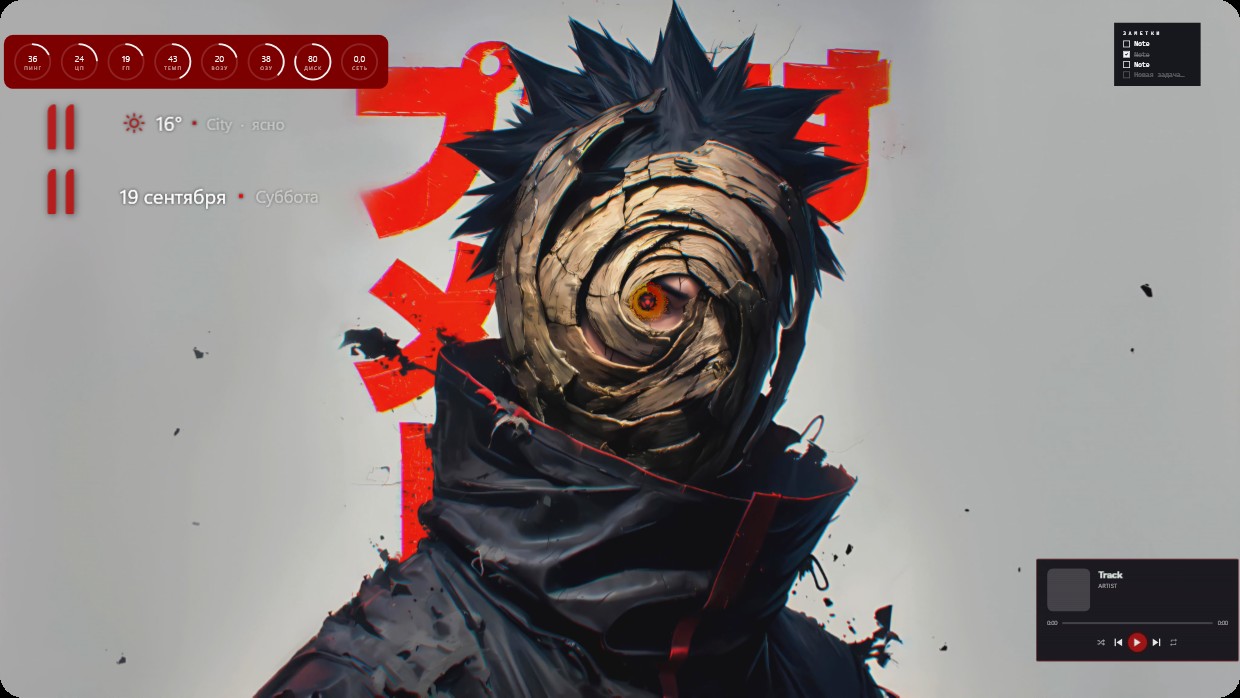
This setup features a live wallpaper of a character with spiky black hair, wearing a dark cloak and a spiral-patterned mask revealing an orange eye. The background is light grey with large red Japanese characters. Widgets are in red and white: system stats at the top left, date and weather centered, and music player at bottom right. All widgets have transparent backgrounds and thin fonts that blend into the image. It’s a full desktop in 4K. Fans of anime will like it.
このセットアップの入れ方
- Steam から Vealo をインストールします。無料版で十分です。
- このページで「Steam でサブスクライブ」を押すか、Vealo 内の「ワークショップ」タブでこのセットアップを見つけます。
- Vealo を開き、スタジオ、「ワークショップ」タブ、「マイセットアップ」と進んで「適用」を押します。壁紙、テーマ、ウィジェット、カーソル、ライティングがワンクリックで切り替わります。アイコンのサイズは自分の設定のままです。

 Vealo
Vealo