18+
Самурвй
 od _Yuvelir_
16
20
2
od _Yuvelir_
16
20
2
Nie widzisz tego setupu w Vealo lub Steam? Steam ukrywa 18+, dopóki w ustawieniach nie zezwolisz na treści dla dorosłych. Otwórz ustawienia Steam
Co zawiera
Cały pulpit4KCzerwonyZegarOdtwarzaczSystemPogodaNotatkiWizualizacjaEfekty
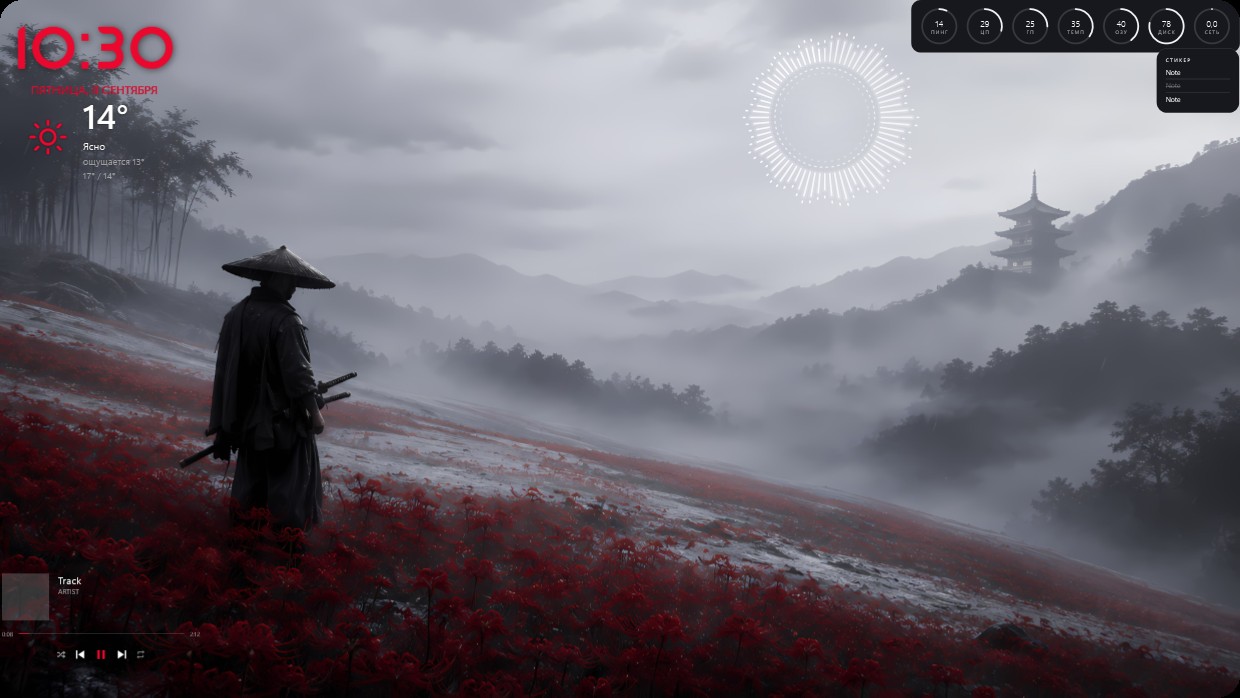
A samurai in a wide-brimmed hat stands on a field of red flowers looking toward distant mountains where a pagoda rises through mist. The scene is grey and muted with patches of red from the flowers. Widgets appear as thin white text or translucent circles against the background. The clock and weather are large and bright red at top left. This full desktop setup in 4K includes player system weather notes visualizer and effects. Fans of serene Japanese landscapes will like it.
Jak zainstalować ten setup
- Zainstaluj Vealo ze Steam. Wersja darmowa wystarczy.
- Kliknij „Subskrybuj w Steam” na tej stronie albo znajdź setup w zakładce „Workshop” w Vealo.
- Otwórz Vealo, wejdź do Studia, zakładka „Workshop”, „Moje setupy”, i kliknij „Zastosuj”. Tapeta, motyw, widżety, kursor i podświetlenie zmienią się jednym kliknięciem. Rozmiar ikon zostanie taki, jaki ustawiłeś.
Podobne setupy
Wszystkie setupy
 Vealo
Vealo




Czysty pulpit jednym kliknięciem
Sprawdź ją na swoim komputerze przed zakupem.
Windows 10 / 11