18+
Pink Anime
 de Vealo
¿No encuentras este setup en Vealo o Steam? Steam oculta los 18+ hasta que permites el contenido para adultos en los ajustes. Abrir ajustes de Steam
Qué contiene
Setup completoFondo animado4KRosaRelojIluminación
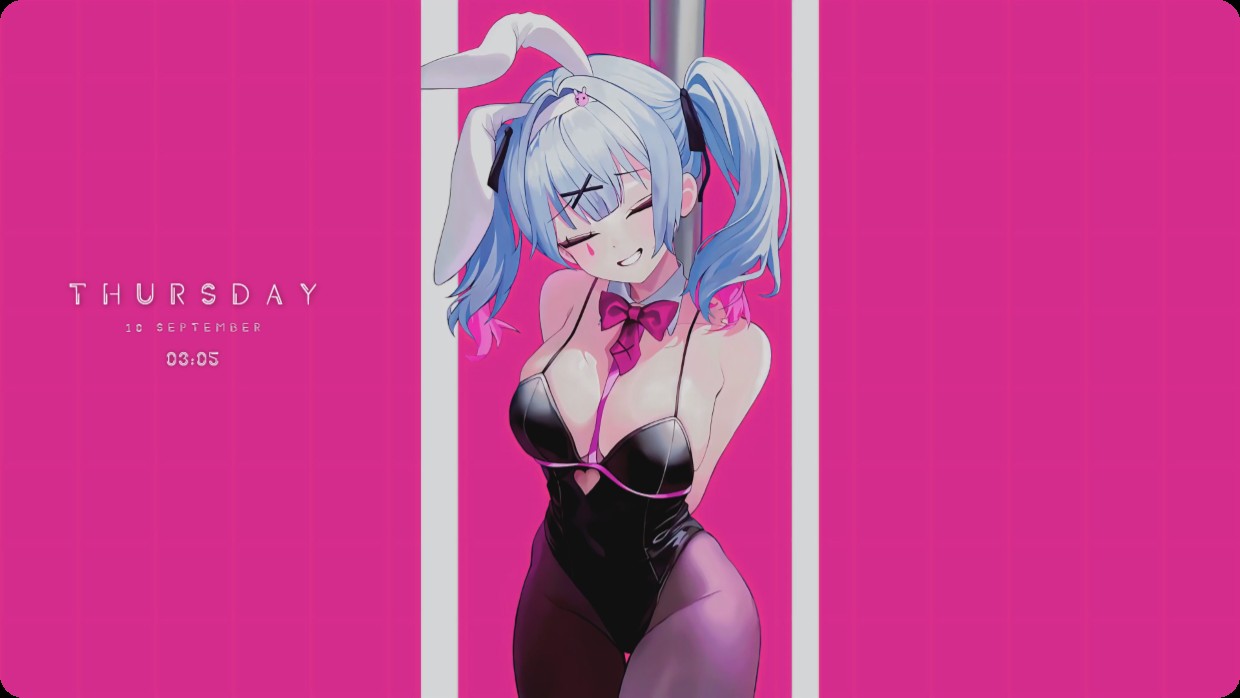
A blue-haired anime girl in a black outfit and bunny ears stands between white poles against a pink background. The scene is bright and warm with vivid pink and black tones. A clock widget shows the date and time on the left side in thin white text. The setup includes lighting and is a full desktop live wallpaper at 4K resolution. Fans of anime art will like it.
Cómo instalar este setup
- Instala Vealo desde Steam. Con la versión gratuita basta.
- Pulsa «Suscribirse en Steam» en esta página o busca el setup en la pestaña «Workshop» dentro de Vealo.
- Abre Vealo, entra en el Estudio, pestaña «Workshop», «Mis setups», y pulsa «Aplicar». Fondo, tema, widgets, cursor e iluminación cambian en un clic. El tamaño de tus iconos se queda como lo tenías.
Setups parecidos
Todos los setups
Tu escritorio en un clic
Gratis en Steam. Pon un setup o crea el tuyo, Pro solo cuando quieras el resto.
Windows 10 / 11