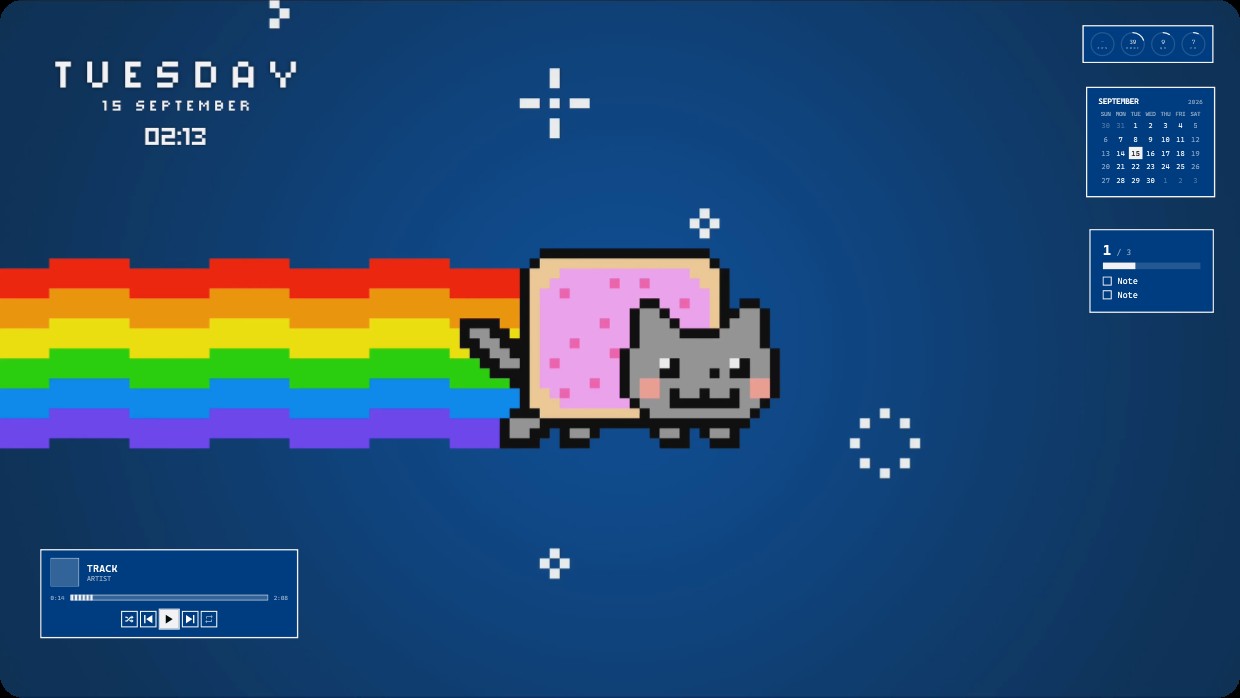
Nyan Cat
 Vealo द्वारा
24
20
3
Vealo द्वारा
24
20
3
यह सेटअप Vealo या Steam में नहीं दिख रहा? जब तक सेटिंग्स में वयस्क कंटेंट की अनुमति न हो, Steam 18+ छिपाता है। Steam सेटिंग्स खोलें
अंदर क्या है
The wallpaper shows Nyan Cat a pixelated grey cat wearing a pink frosted donut flying left across a dark blue background leaving a rainbow trail. The scene is dark with dominant blue tones accented by the bright rainbow. The mood is playful and nostalgic. Widgets include a clock date and time in white text on the top left a calendar and notes panel on the right and a music player at the bottom left all with white or light grey text and semi transparent backgrounds. This is a full desktop live wallpaper in 4K inside Vealo from Steam Workshop. Fans of retro pixel art will like it.
यह सेटअप कैसे इंस्टॉल करें
- Steam से Vealo इंस्टॉल करें। मुफ़्त वर्ज़न काफ़ी है।
- इस पेज पर «Steam में सब्सक्राइब करें» दबाएँ, या Vealo के अंदर «Workshop» टैब में यह सेटअप ढूँढें।
- Vealo खोलें, Studio में जाएँ, «Workshop» टैब, «मेरे सेटअप», और «लागू करें» दबाएँ। वॉलपेपर, थीम, विजेट, कर्सर और लाइटिंग एक क्लिक में बदल जाते हैं। आइकन का साइज़ आपका ही रहता है।
मिलते-जुलते सेटअप
सभी सेटअप



एक क्लिक में साफ़ डेस्कटॉप
कुछ भी खरीदने से पहले अपने कंप्यूटर पर आज़माएँ।
Windows 10 / 11