18+
Nyan Cat
 제작: Vealo
24
20
3
제작: Vealo
24
20
3
Vealo나 Steam에서 이 세팅이 보이지 않나요? 설정에서 성인 콘텐츠를 허용하기 전까지 Steam은 18+를 숨깁니다. Steam 설정 열기
포함 내용
전체 바탕화면움직이는 배경화면4K파랑시계플레이어시스템달력메모조명
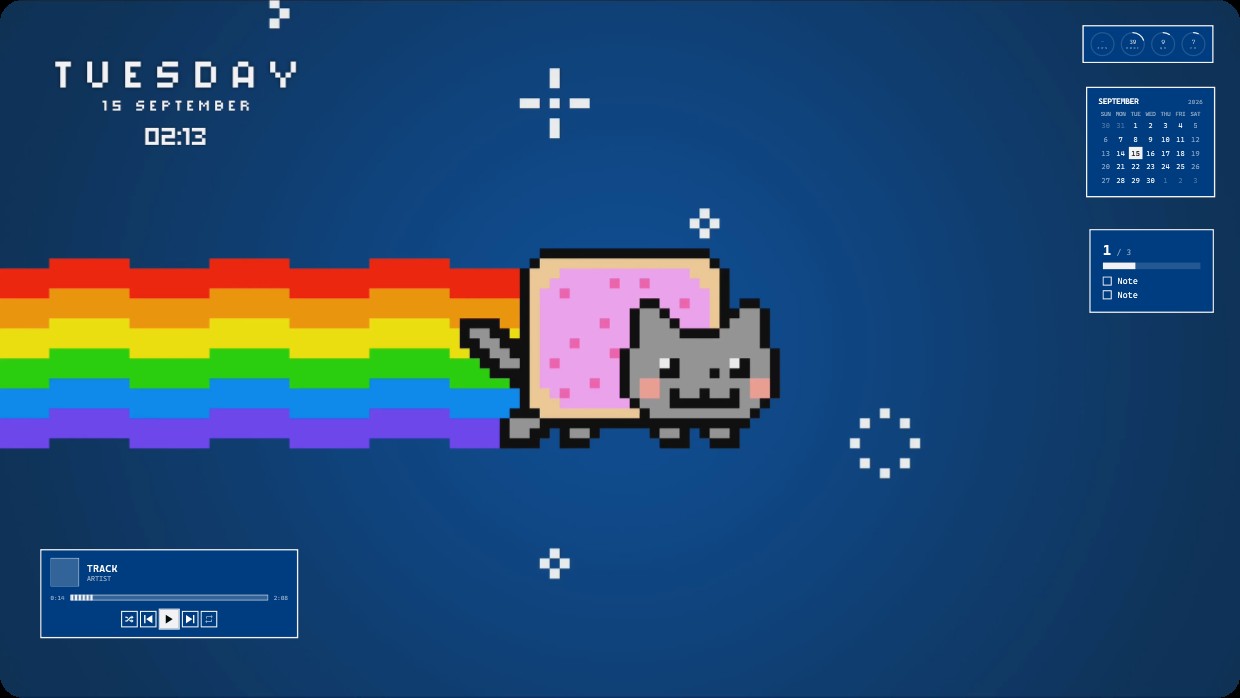
The wallpaper shows Nyan Cat a pixelated grey cat wearing a pink frosted donut flying left across a dark blue background leaving a rainbow trail. The scene is dark with dominant blue tones accented by the bright rainbow. The mood is playful and nostalgic. Widgets include a clock date and time in white text on the top left a calendar and notes panel on the right and a music player at the bottom left all with white or light grey text and semi transparent backgrounds. This is a full desktop live wallpaper in 4K inside Vealo from Steam Workshop. Fans of retro pixel art will like it.
이 세팅 설치 방법
- Steam에서 Vealo를 설치하세요. 무료 버전이면 충분합니다.
- 이 페이지에서 «Steam에서 구독»을 누르거나 Vealo 안의 «창작마당» 탭에서 이 세팅을 찾으세요.
- Vealo를 열고 스튜디오, «창작마당» 탭, «내 세팅»으로 가서 «적용»을 누르세요. 배경화면, 테마, 위젯, 커서, 조명이 클릭 한 번에 바뀝니다. 아이콘 크기는 직접 설정한 대로 유지됩니다.