18+
Blue Space
 Vealo द्वारा
2
1
0
Vealo द्वारा
2
1
0
यह सेटअप Vealo या Steam में नहीं दिख रहा? जब तक सेटिंग्स में वयस्क कंटेंट की अनुमति न हो, Steam 18+ छिपाता है। Steam सेटिंग्स खोलें
अंदर क्या है
विजेट लेआउट2Kनीलाघड़ीइफ़ेक्ट्सलाइटिंग
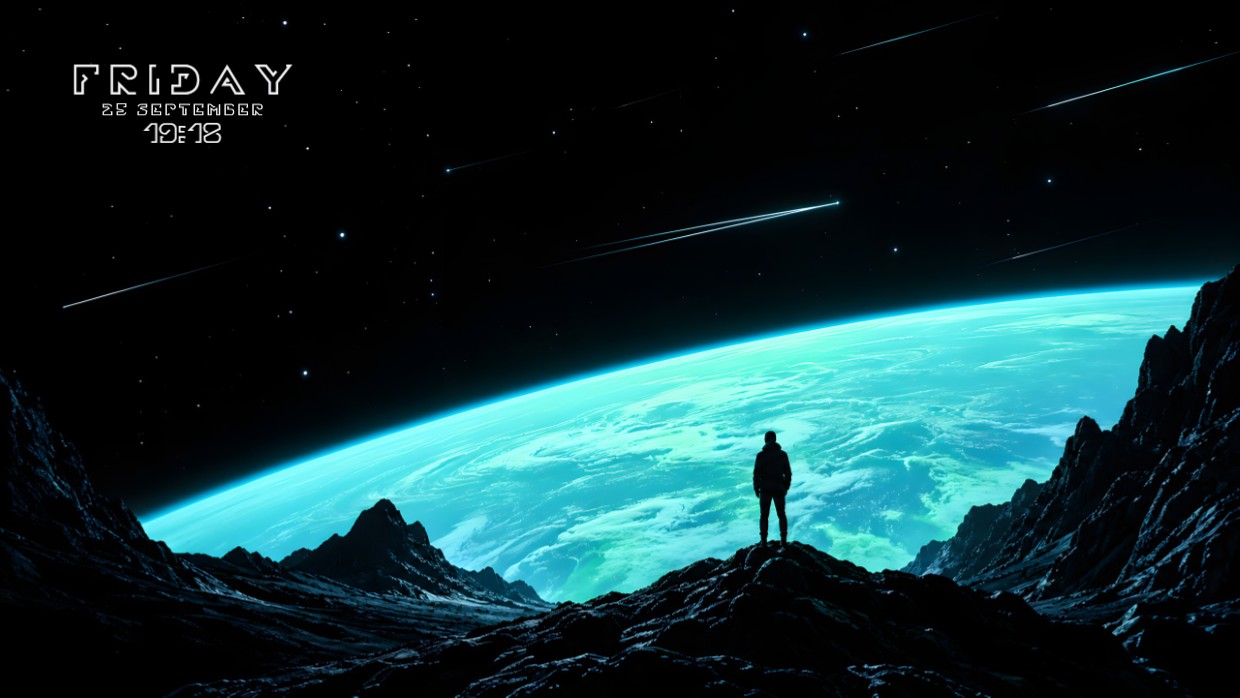
A lone figure stands on a rocky peak overlooking a glowing blue planet against a dark starry sky streaked with meteors. The scene is dominated by deep black, vibrant cyan, and subtle white highlights. It feels vast and contemplative. A clock widget sits in the top left corner with thin white text. The setup includes lighting effects and is 2K resolution. People who enjoy cosmic views will like this.
यह सेटअप कैसे इंस्टॉल करें
- Steam से Vealo इंस्टॉल करें। मुफ़्त वर्ज़न काफ़ी है।
- इस पेज पर «Steam में सब्सक्राइब करें» दबाएँ, या Vealo के अंदर «Workshop» टैब में यह सेटअप ढूँढें।
- Vealo खोलें, Studio में जाएँ, «Workshop» टैब, «मेरे सेटअप», और «लागू करें» दबाएँ। वॉलपेपर, थीम, विजेट, कर्सर और लाइटिंग एक क्लिक में बदल जाते हैं। आइकन का साइज़ आपका ही रहता है।
मिलते-जुलते सेटअप
सभी सेटअप


 _Yuvelir_
एक क्लिक में साफ़ डेस्कटॉप
कुछ भी खरीदने से पहले अपने कंप्यूटर पर आज़माएँ।
Windows 10 / 11