18+
Lavender Lemonade
 Vealo द्वारा
यह सेटअप Vealo या Steam में नहीं दिख रहा? जब तक सेटिंग्स में वयस्क कंटेंट की अनुमति न हो, Steam 18+ छिपाता है। Steam सेटिंग्स खोलें
अंदर क्या है
विजेट लेआउट2Kएकरंगीघड़ीप्लेयरकैलेंडरमौसमनोट्सविज़ुअलाइज़रलाइटिंग
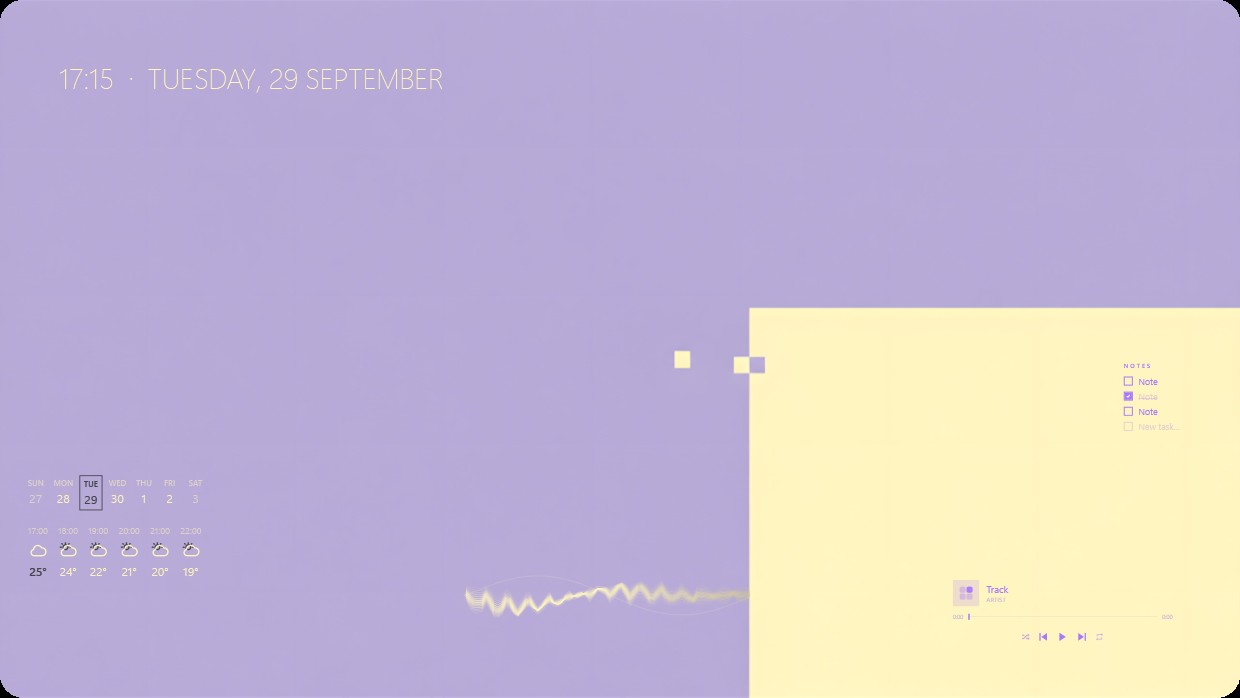
The wallpaper is a solid lavender gradient. The scene is soft and calm. A clock and date appear in the top left corner in pale yellow text. A calendar and weather widget are below it on the left side with matching pale yellow text. On the right, a bright yellow panel holds a music player and notes widget. All widgets use thin sans-serif fonts and light transparency to blend into the background. This setup is ideal for someone who prefers minimalist aesthetics.
यह सेटअप कैसे इंस्टॉल करें
- Steam से Vealo इंस्टॉल करें। मुफ़्त वर्ज़न काफ़ी है।
- इस पेज पर «Steam में सब्सक्राइब करें» दबाएँ, या Vealo के अंदर «Workshop» टैब में यह सेटअप ढूँढें।
- Vealo खोलें, Studio में जाएँ, «Workshop» टैब, «मेरे सेटअप», और «लागू करें» दबाएँ। वॉलपेपर, थीम, विजेट, कर्सर और लाइटिंग एक क्लिक में बदल जाते हैं। आइकन का साइज़ आपका ही रहता है।
मिलते-जुलते सेटअप
सभी सेटअप




आपका डेस्कटॉप, एक क्लिक में
Steam पर मुफ़्त। कोई सेटअप चुनें या अपना बनाएँ, Pro तभी जब बाकी सब चाहिए।
Windows 10 / 11