18+
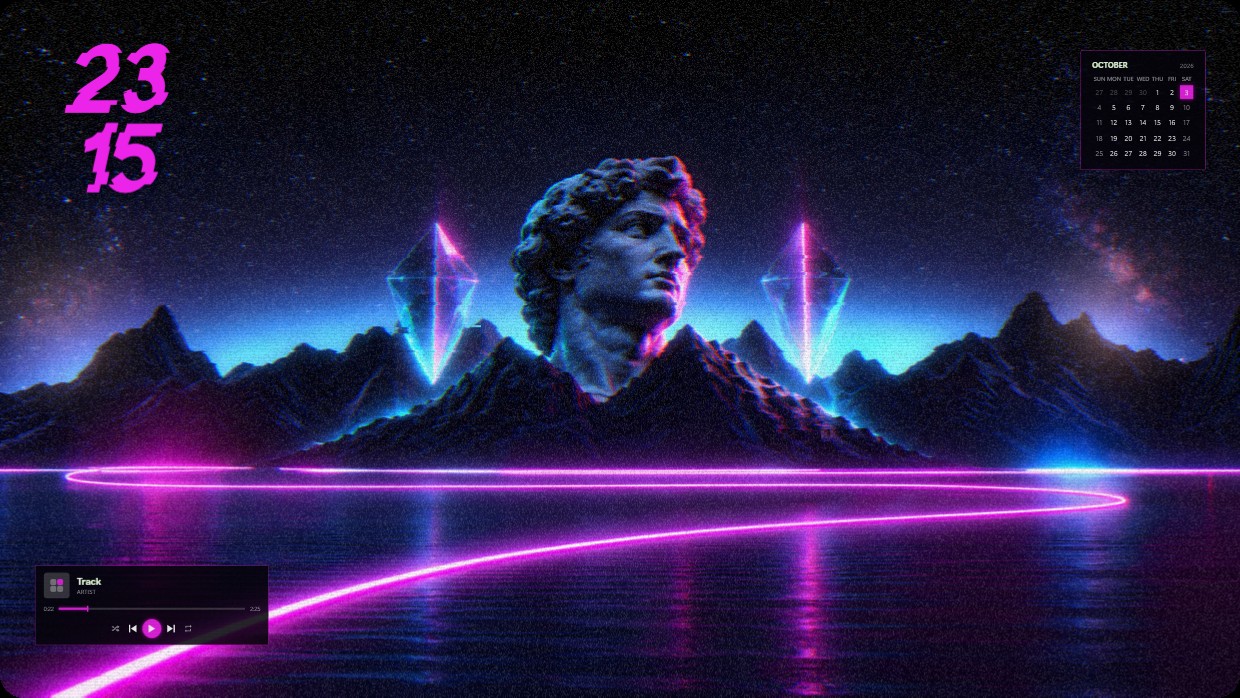
Neon Statue with Glitch Effects
 di Vealo
Non trovi questo setup in Vealo o su Steam? Steam nasconde i 18+ finché non permetti i contenuti per adulti nelle impostazioni. Apri impostazioni Steam
Cosa contiene
Disposizione widget2KViolaOrologioLettoreCalendarioEffettiIlluminazione
A statue of David stands atop mountains under a starry sky. The scene is lit by neon purple and blue lights. The mood is retrofuturistic and dreamy. A clock shows 2315 in large pink digits on the left. A calendar for October sits in the top right with white text on dark background. A music player widget rests at the bottom left with a transparent black design. This setup uses 2K resolution and includes lighting effects inside Vealo from Steam Workshop. Fans of synthwave will like it.
Come installare questo setup
- Installa Vealo da Steam. Basta la versione gratuita.
- Premi «Iscriviti su Steam» in questa pagina oppure cerca il setup nella scheda «Workshop» dentro Vealo.
- Apri Vealo, vai nello Studio, scheda «Workshop», «I miei setup», e premi «Applica». Sfondo, tema, widget, cursore e illuminazione cambiano in un clic. La dimensione delle icone resta quella che hai scelto.
Setup simili
Tutti i setup


Il tuo desktop in un clic
Gratis su Steam. Metti un setup o crea il tuo, Pro solo quando vuoi il resto.
Windows 10 / 11