18+
Follen
 作者: _Yuvelir_
9
6
0
作者: _Yuvelir_
9
6
0
Vealo や Steam でこのセットアップが見つかりませんか?設定で成人向けコンテンツを許可するまで、Steam は 18+ を非表示にします。 Steam の設定を開く
内容
ウィジェット配置Full HDモノクロ時計プレーヤーシステムカレンダー天気メモビジュアライザーエフェクトライティング
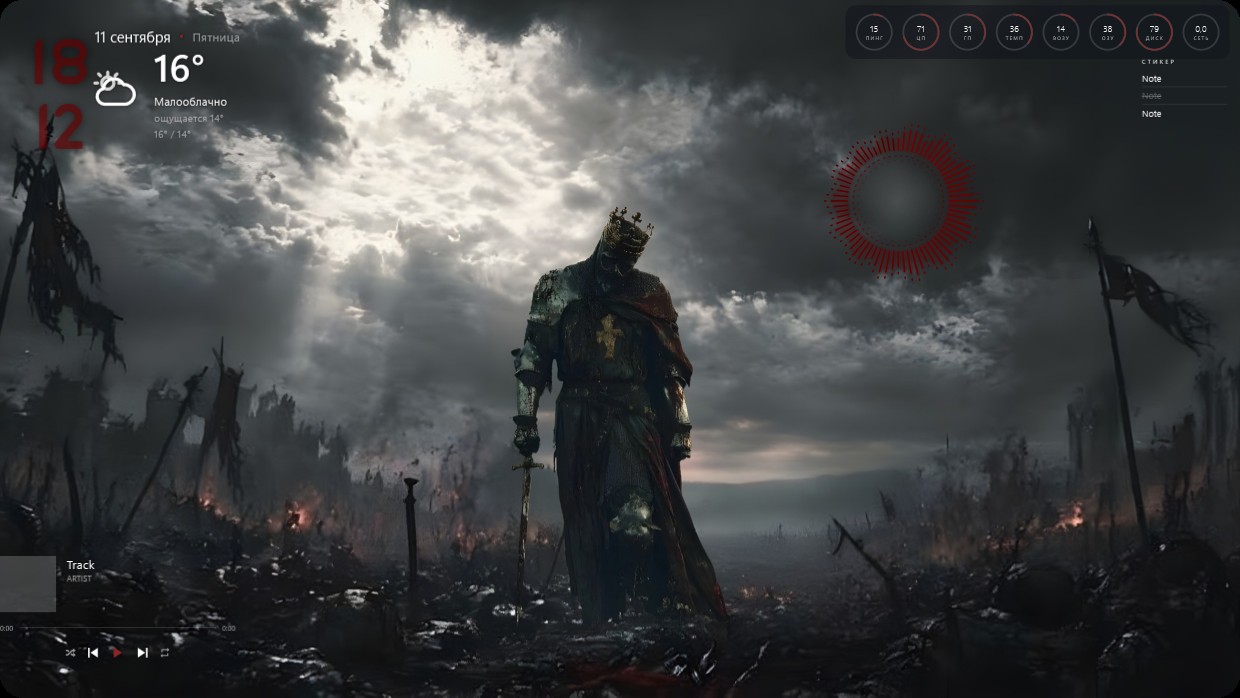
A crowned knight in dark armor stands alone on a battlefield under stormy skies. The scene is dominated by grey, black, and red tones, lit by harsh sunlight breaking through clouds. The mood feels solemn and epic. Widgets are minimal and semi-transparent: the clock and weather sit top left in bold red text; system stats appear as small circles top right; player info and notes occupy bottom left. This setup includes a visualizer and effects lighting. Fans of dark fantasy will like it.
このセットアップの入れ方
- Steam から Vealo をインストールします。無料版で十分です。
- このページで「Steam でサブスクライブ」を押すか、Vealo 内の「ワークショップ」タブでこのセットアップを見つけます。
- Vealo を開き、スタジオ、「ワークショップ」タブ、「マイセットアップ」と進んで「適用」を押します。壁紙、テーマ、ウィジェット、カーソル、ライティングがワンクリックで切り替わります。アイコンのサイズは自分の設定のままです。

 Vealo
Vealo