18+
Follen
 _Yuvelir_ द्वारा
9
6
0
_Yuvelir_ द्वारा
9
6
0
यह सेटअप Vealo या Steam में नहीं दिख रहा? जब तक सेटिंग्स में वयस्क कंटेंट की अनुमति न हो, Steam 18+ छिपाता है। Steam सेटिंग्स खोलें
अंदर क्या है
विजेट लेआउटFull HDएकरंगीघड़ीप्लेयरसिस्टमकैलेंडरमौसमनोट्सविज़ुअलाइज़रइफ़ेक्ट्सलाइटिंग
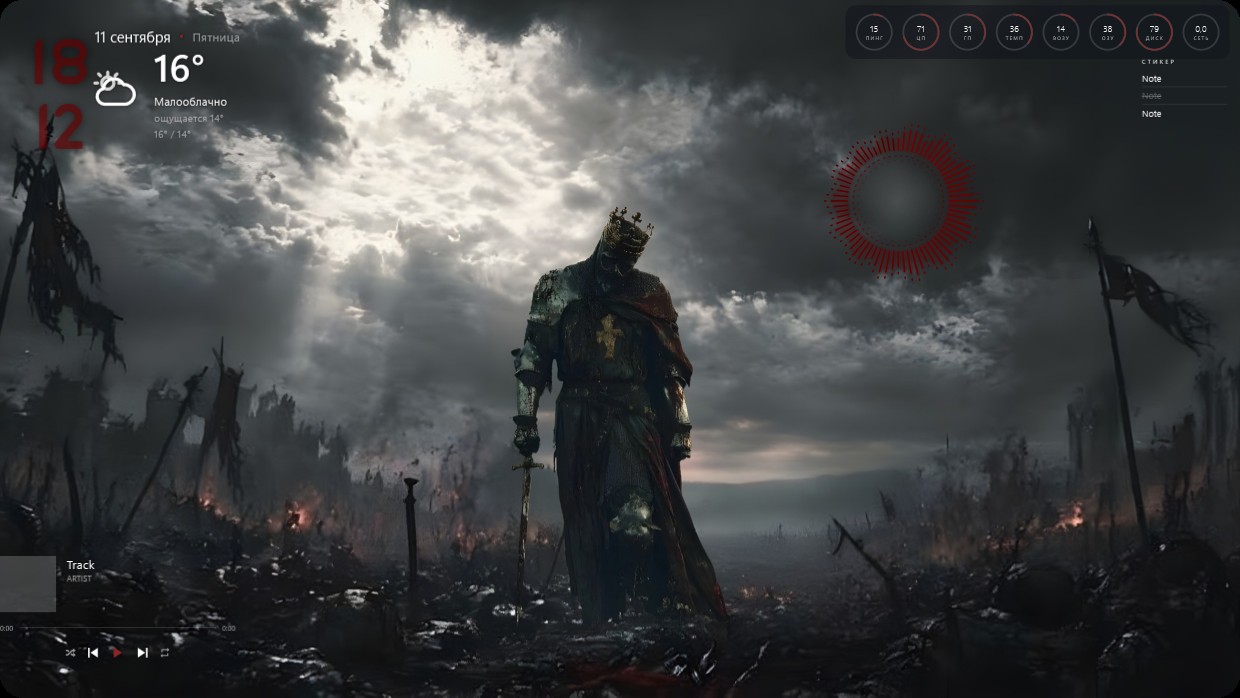
A crowned knight in dark armor stands alone on a battlefield under stormy skies. The scene is dominated by grey, black, and red tones, lit by harsh sunlight breaking through clouds. The mood feels solemn and epic. Widgets are minimal and semi-transparent: the clock and weather sit top left in bold red text; system stats appear as small circles top right; player info and notes occupy bottom left. This setup includes a visualizer and effects lighting. Fans of dark fantasy will like it.
यह सेटअप कैसे इंस्टॉल करें
- Steam से Vealo इंस्टॉल करें। मुफ़्त वर्ज़न काफ़ी है।
- इस पेज पर «Steam में सब्सक्राइब करें» दबाएँ, या Vealo के अंदर «Workshop» टैब में यह सेटअप ढूँढें।
- Vealo खोलें, Studio में जाएँ, «Workshop» टैब, «मेरे सेटअप», और «लागू करें» दबाएँ। वॉलपेपर, थीम, विजेट, कर्सर और लाइटिंग एक क्लिक में बदल जाते हैं। आइकन का साइज़ आपका ही रहता है।
मिलते-जुलते सेटअप
सभी सेटअप
 Vealo
Vealo


एक क्लिक में साफ़ डेस्कटॉप
कुछ भी खरीदने से पहले अपने कंप्यूटर पर आज़माएँ।
Windows 10 / 11