18+
Давай
 제작: _Yuvelir_
17
6
0
제작: _Yuvelir_
17
6
0
Vealo나 Steam에서 이 세팅이 보이지 않나요? 설정에서 성인 콘텐츠를 허용하기 전까지 Steam은 18+를 숨깁니다. Steam 설정 열기
포함 내용
전체 바탕화면4K빨강시계플레이어시스템달력날씨메모시각화효과조명
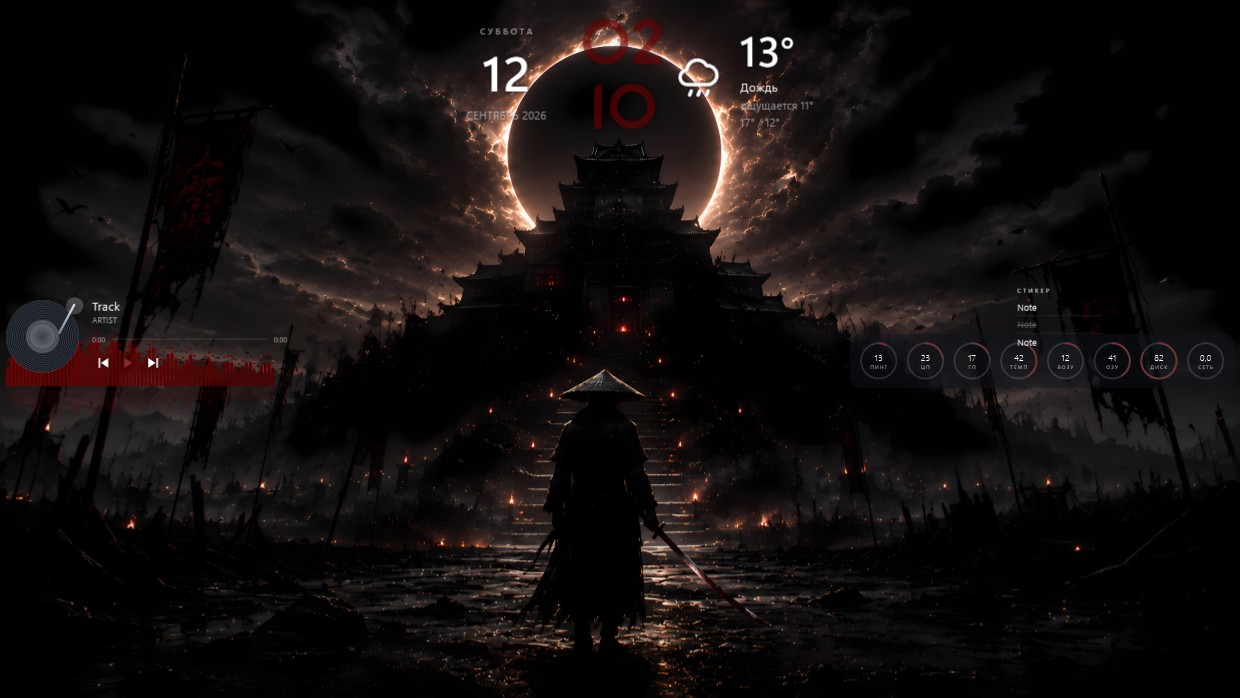
A samurai stands at the base of a temple under an eclipse. The scene is dark, dominated by black, orange, and red. It feels tense and solemn. A clock, weather widget, player bar, calendar, system meters, and notes are placed along the top and right side. Fonts are thin white with high transparency, matching the dim background. This full desktop setup in 4K includes all standard widgets plus visualizer and lighting effects. Ideal for fans of dark fantasy aesthetics.
이 세팅 설치 방법
- Steam에서 Vealo를 설치하세요. 무료 버전이면 충분합니다.
- 이 페이지에서 «Steam에서 구독»을 누르거나 Vealo 안의 «창작마당» 탭에서 이 세팅을 찾으세요.
- Vealo를 열고 스튜디오, «창작마당» 탭, «내 세팅»으로 가서 «적용»을 누르세요. 배경화면, 테마, 위젯, 커서, 조명이 클릭 한 번에 바뀝니다. 아이콘 크기는 직접 설정한 대로 유지됩니다.

 Vealo
Vealo