18+
Давай
 _Yuvelir_ द्वारा
17
6
0
_Yuvelir_ द्वारा
17
6
0
यह सेटअप Vealo या Steam में नहीं दिख रहा? जब तक सेटिंग्स में वयस्क कंटेंट की अनुमति न हो, Steam 18+ छिपाता है। Steam सेटिंग्स खोलें
अंदर क्या है
पूरा डेस्कटॉप4Kलालघड़ीप्लेयरसिस्टमकैलेंडरमौसमनोट्सविज़ुअलाइज़रइफ़ेक्ट्सलाइटिंग
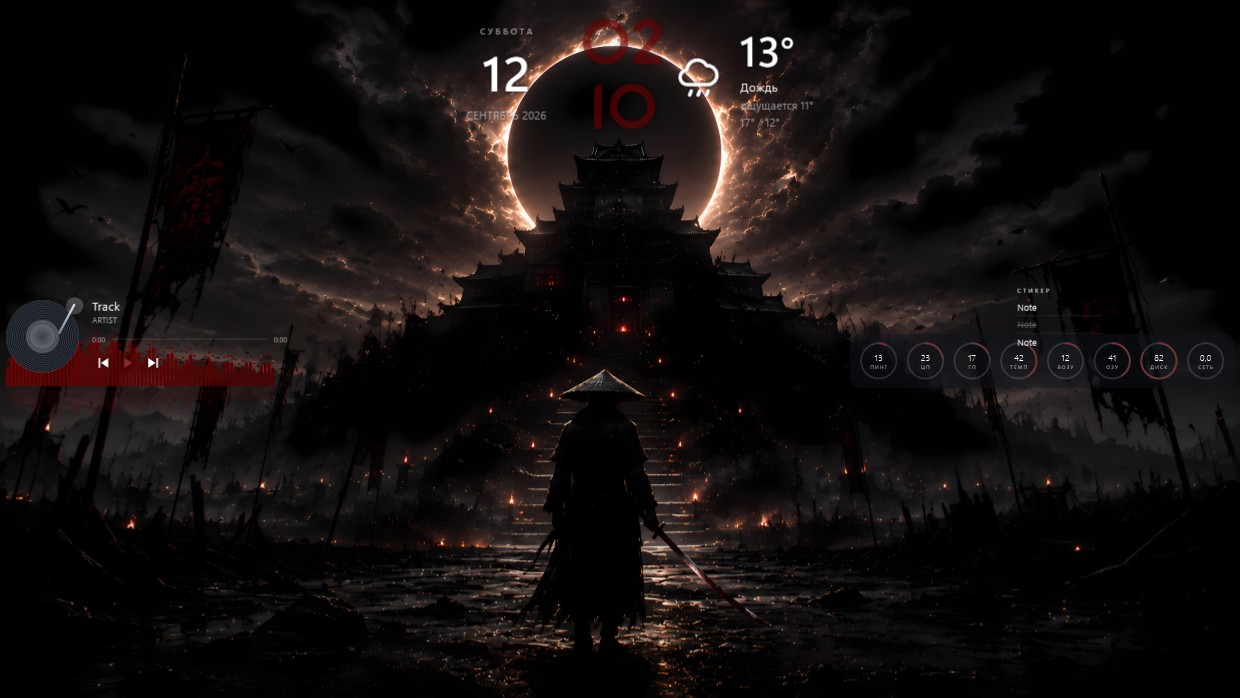
A samurai stands at the base of a temple under an eclipse. The scene is dark, dominated by black, orange, and red. It feels tense and solemn. A clock, weather widget, player bar, calendar, system meters, and notes are placed along the top and right side. Fonts are thin white with high transparency, matching the dim background. This full desktop setup in 4K includes all standard widgets plus visualizer and lighting effects. Ideal for fans of dark fantasy aesthetics.
यह सेटअप कैसे इंस्टॉल करें
- Steam से Vealo इंस्टॉल करें। मुफ़्त वर्ज़न काफ़ी है।
- इस पेज पर «Steam में सब्सक्राइब करें» दबाएँ, या Vealo के अंदर «Workshop» टैब में यह सेटअप ढूँढें।
- Vealo खोलें, Studio में जाएँ, «Workshop» टैब, «मेरे सेटअप», और «लागू करें» दबाएँ। वॉलपेपर, थीम, विजेट, कर्सर और लाइटिंग एक क्लिक में बदल जाते हैं। आइकन का साइज़ आपका ही रहता है।
मिलते-जुलते सेटअप
सभी सेटअप
 Vealo
Vealo


एक क्लिक में साफ़ डेस्कटॉप
कुछ भी खरीदने से पहले अपने कंप्यूटर पर आज़माएँ।
Windows 10 / 11