18+
Gojos Blue
 Vealo tarafından
6
6
0
Vealo tarafından
6
6
0
Bu setupı Vealo'da veya Steam'de bulamıyor musun? Steam, ayarlarda yetişkin içeriğe izin verilene kadar 18+ içerikleri gizler. Steam ayarlarını aç
İçerik
Tam masaüstüCanlı duvar kağıdı4KMaviSaatOynatıcıGörselleştiriciAydınlatma
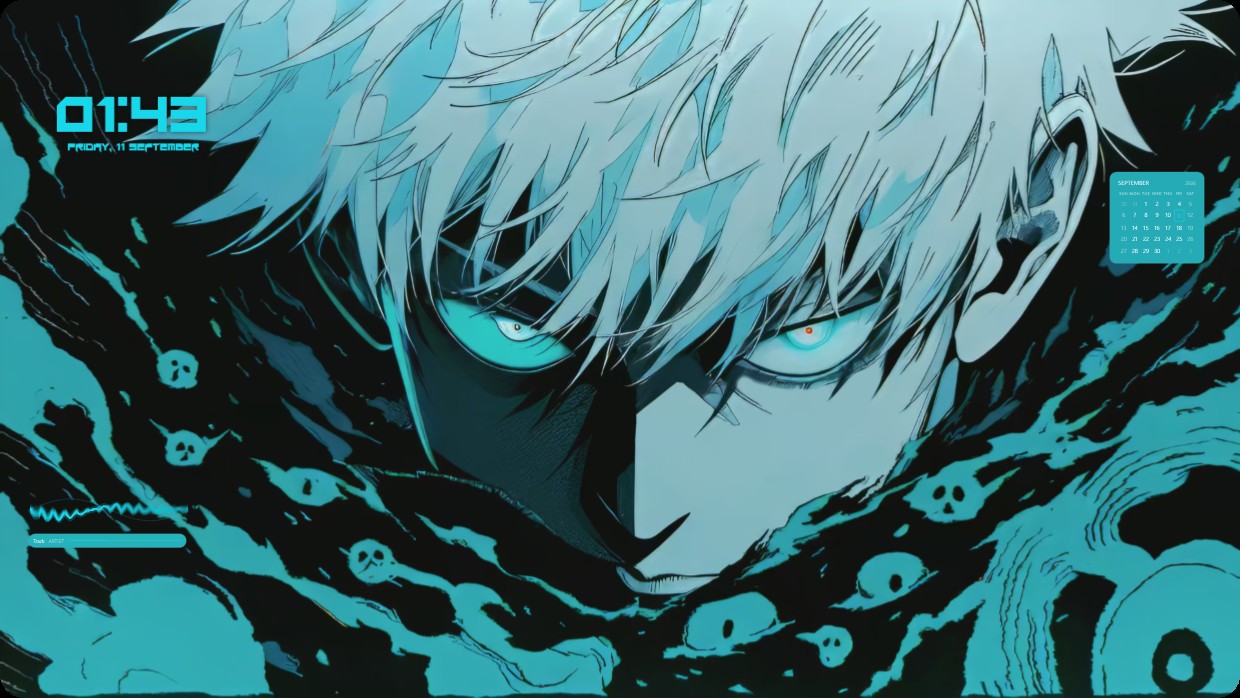
This setup features a close-up of an anime character with white hair and glowing blue eyes surrounded by dark teal liquid and skulls. The scene is dark and cool, dominated by shades of black, teal, and light blue. A clock shows the time in bold cyan text at top left. A calendar appears as a small translucent box at top right. A player bar sits at bottom left with matching teal color. It is a full desktop with live wallpaper and 4K resolution. Fans of anime will like it.
Bu setup nasıl kurulur
- Vealo'yu Steam'den kur. Ücretsiz sürüm yeterli.
- Bu sayfada «Steam'de abone ol»a bas ya da setupı Vealo içindeki «Atölye» sekmesinde bul.
- Vealo'yu aç, Stüdyo'ya gir, «Atölye» sekmesi, «Setuplarım», ve «Uygula»ya bas. Duvar kağıdı, tema, widget'lar, imleç ve aydınlatma tek tıkla değişir. Simge boyutun senin ayarladığın gibi kalır.
Benzer setuplar
Tüm setuplar
Tek tıkla temiz masaüstü
Satın almadan önce kendi bilgisayarında dene.
Windows 10 / 11