18+
Pale King
 作者:Vealo
2
1
0
作者:Vealo
2
1
0
在 Vealo 或 Steam 中找不到这个方案?在设置中允许成人内容之前,Steam 会隐藏 18+ 内容。 打开 Steam 设置
包含内容
小组件布局2K蓝色时钟播放器日历便签可视化特效灯效
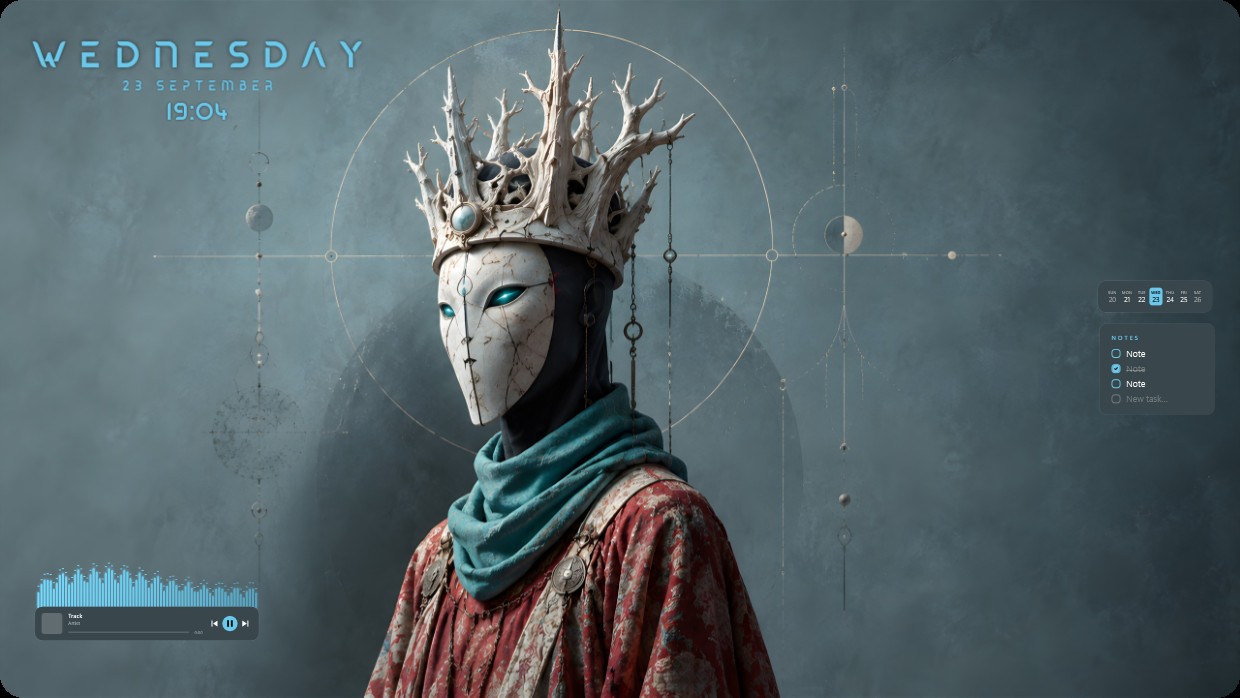
The wallpaper shows a masked figure wearing a crown of bone-like spikes and a teal scarf. The scene is dark and cool, dominated by blue grey tones with accents of red and teal. The mood is solemn and mysterious. Widgets include a clock and date in the top left, a music player at bottom left, and notes on the right side. All widgets use thin white fonts with low transparency to blend into the background. This 2K setup includes visualizer effects and lighting. People who appreciate gothic aesthetics will like it.
如何安装这个方案
- 从 Steam 安装 Vealo,免费版即可。
- 在本页点击“在 Steam 订阅”,或在 Vealo 内的“创意工坊”标签页中找到该方案。
- 打开 Vealo,进入工作室,“创意工坊”标签页,“我的方案”,点击“应用”。壁纸、主题、小组件、光标和灯光一键切换。图标大小保持你自己的设置。