18+
Winter Forest
 de Vealo
10
15
1
de Vealo
10
15
1
¿No encuentras este setup en Vealo o Steam? Steam oculta los 18+ hasta que permites el contenido para adultos en los ajustes. Abrir ajustes de Steam
Qué contiene
Escritorio completoFondo animado4KAmarilloRelojReproductorSistemaCalendarioNotasIluminación
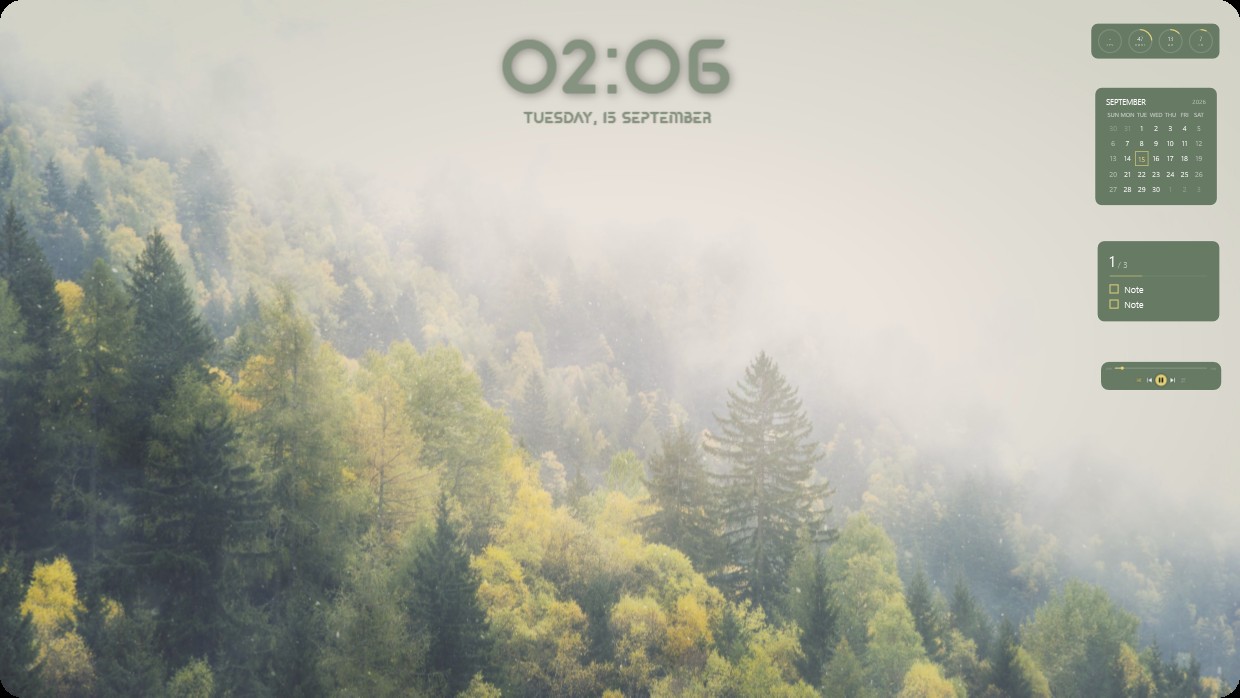
A misty forest with green and yellow trees under soft light. The scene is calm and bright with muted greens and yellows. A large clock shows 02:06 centered at the top. On the right, a calendar, notes panel, player bar, and system meters appear in matching olive tones with semi-transparent backgrounds. This full desktop setup uses a live wallpaper at 4K resolution. People who enjoy quiet natural scenes will like it.
Cómo instalar este setup
- Instala Vealo desde Steam. Con la versión gratuita basta.
- Pulsa «Suscribirse en Steam» en esta página o busca el setup en la pestaña «Workshop» dentro de Vealo.
- Abre Vealo, entra en el Estudio, pestaña «Workshop», «Mis setups», y pulsa «Aplicar». Fondo, tema, widgets, cursor e iluminación cambian en un clic. El tamaño de tus iconos se queda como lo tenías.
Setups parecidos
Todos los setups

Un escritorio limpio con un clic
Pruébala en tu equipo antes de comprar nada.
Windows 10 / 11