18+
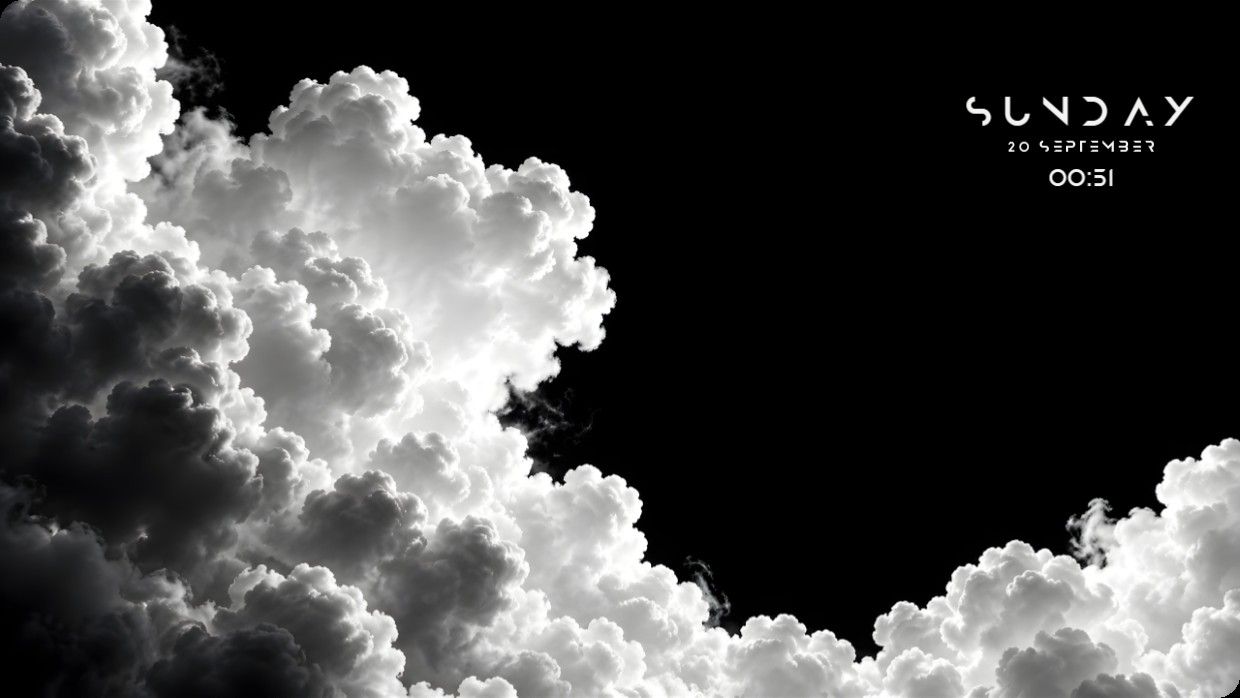
Black Clouds
 de Vealo
3
9
1
de Vealo
3
9
1
¿No encuentras este setup en Vealo o Steam? Steam oculta los 18+ hasta que permites el contenido para adultos en los ajustes. Abrir ajustes de Steam
Qué contiene
Disposición de widgets2KMonocromoRelojEfectosIluminación
The wallpaper shows a high-contrast black and white image of dense clouds. The scene is dark with bright highlights on the cloud edges, creating a dramatic effect. The mood is stark and atmospheric. A clock, date, and time widget are positioned in the top right corner using thin white text that blends subtly against the dark sky. The setup uses 2K resolution and includes effects, lighting, and widgets installed from the Steam Workshop through Vealo. Fans of minimalist monochrome desktops will like this.
Cómo instalar este setup
- Instala Vealo desde Steam. Con la versión gratuita basta.
- Pulsa «Suscribirse en Steam» en esta página o busca el setup en la pestaña «Workshop» dentro de Vealo.
- Abre Vealo, entra en el Estudio, pestaña «Workshop», «Mis setups», y pulsa «Aplicar». Fondo, tema, widgets, cursor e iluminación cambian en un clic. El tamaño de tus iconos se queda como lo tenías.
Setups parecidos
Todos los setups
Un escritorio limpio con un clic
Pruébala en tu equipo antes de comprar nada.
Windows 10 / 11