18+
Black Clouds
 di Vealo
3
9
1
di Vealo
3
9
1
Non trovi questo setup in Vealo o su Steam? Steam nasconde i 18+ finché non permetti i contenuti per adulti nelle impostazioni. Apri impostazioni Steam
Cosa contiene
Disposizione widget2KMonocromoOrologioEffettiIlluminazione
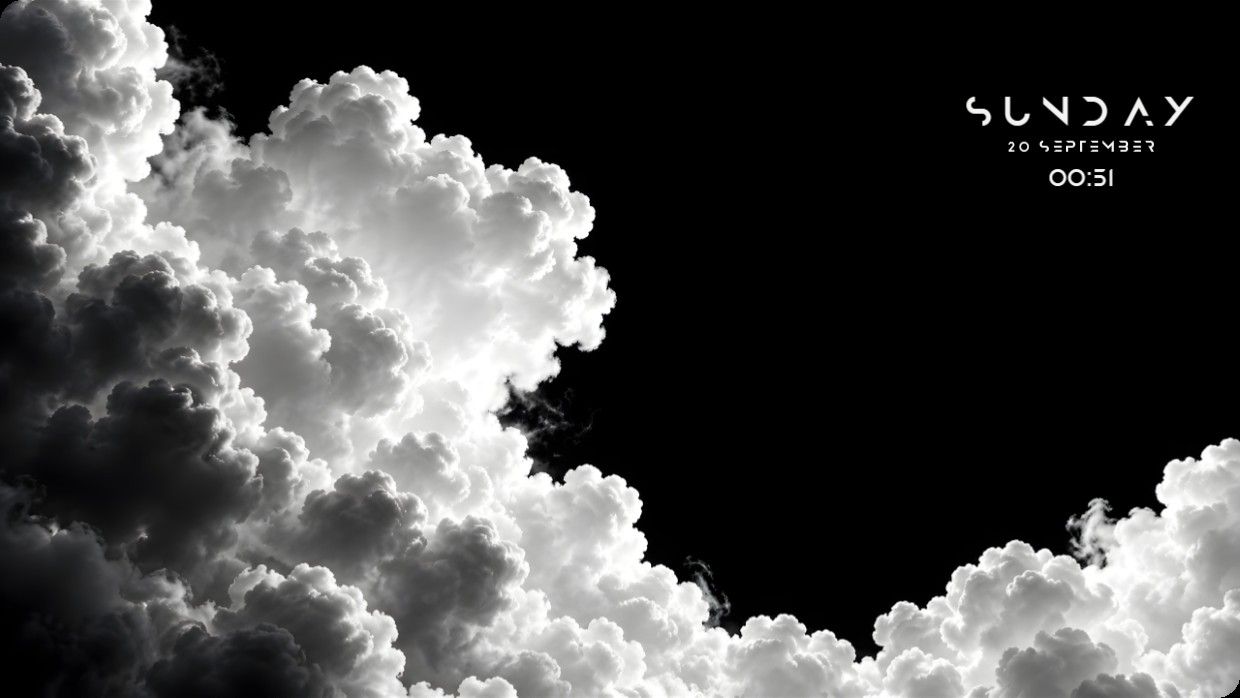
The wallpaper shows a high-contrast black and white image of dense clouds. The scene is dark with bright highlights on the cloud edges, creating a dramatic effect. The mood is stark and atmospheric. A clock, date, and time widget are positioned in the top right corner using thin white text that blends subtly against the dark sky. The setup uses 2K resolution and includes effects, lighting, and widgets installed from the Steam Workshop through Vealo. Fans of minimalist monochrome desktops will like this.
Come installare questo setup
- Installa Vealo da Steam. Basta la versione gratuita.
- Premi «Iscriviti su Steam» in questa pagina oppure cerca il setup nella scheda «Workshop» dentro Vealo.
- Apri Vealo, vai nello Studio, scheda «Workshop», «I miei setup», e premi «Applica». Sfondo, tema, widget, cursore e illuminazione cambiano in un clic. La dimensione delle icone resta quella che hai scelto.
Setup simili
Tutti i setup
Una scrivania pulita con un clic
Provala sul tuo computer prima di comprare.
Windows 10 / 11