18+
Red and White Anime
 od Vealo
3
3
0
od Vealo
3
3
0
Nie widzisz tego setupu w Vealo lub Steam? Steam ukrywa 18+, dopóki w ustawieniach nie zezwolisz na treści dla dorosłych. Otwórz ustawienia Steam
Co zawiera
Układ widżetów2KCzerwonyZegarOdtwarzaczKalendarzNotatkiWizualizacjaEfektyPodświetlenie
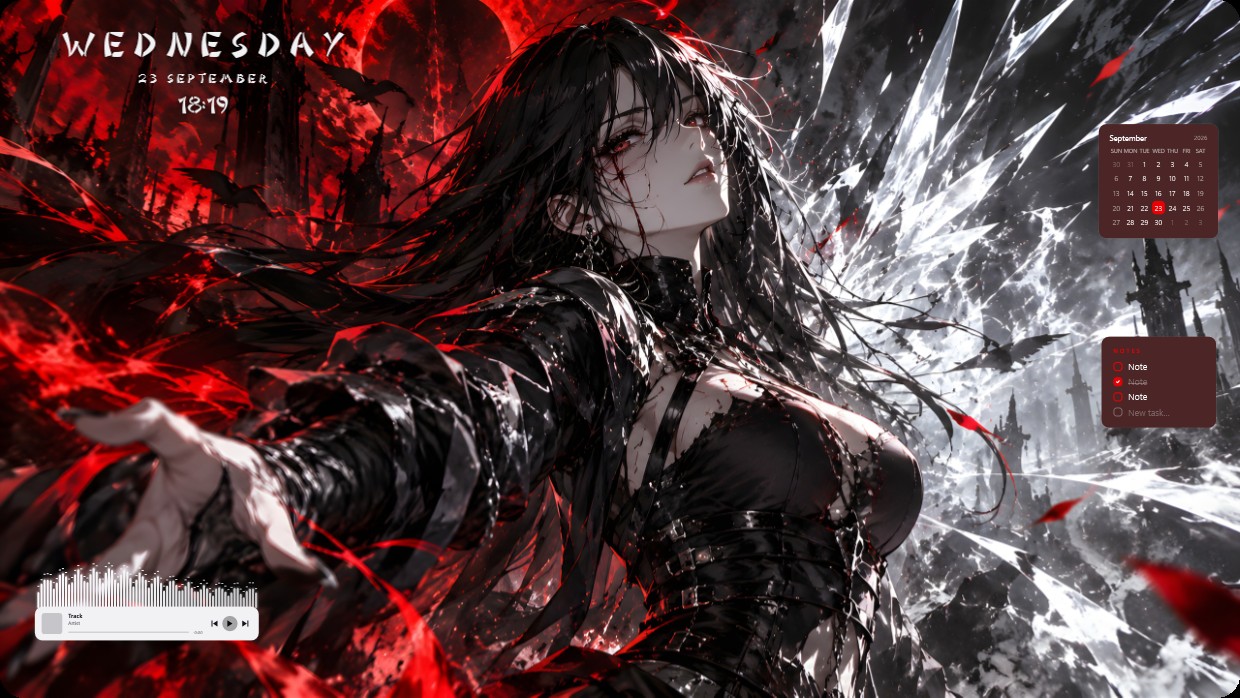
The wallpaper shows a female character with long black hair and red eyes extending her hand against a backdrop of red skies, dark ruins, and flying bats. The main colors are red, black, and white, creating a high contrast scene that feels cold and dramatic. Widgets include a clock in the top left, a calendar and notes panel on the right, and a player bar at the bottom. All widgets use light-colored text with semi-transparent backgrounds to blend into the image. This 2K setup includes lighting effects. Fans of dark fantasy themes will like it.
Jak zainstalować ten setup
- Zainstaluj Vealo ze Steam. Wersja darmowa wystarczy.
- Kliknij „Subskrybuj w Steam” na tej stronie albo znajdź setup w zakładce „Workshop” w Vealo.
- Otwórz Vealo, wejdź do Studia, zakładka „Workshop”, „Moje setupy”, i kliknij „Zastosuj”. Tapeta, motyw, widżety, kursor i podświetlenie zmienią się jednym kliknięciem. Rozmiar ikon zostanie taki, jaki ustawiłeś.
Podobne setupy
Wszystkie setupy
Czysty pulpit jednym kliknięciem
Sprawdź ją na swoim komputerze przed zakupem.
Windows 10 / 11