18+
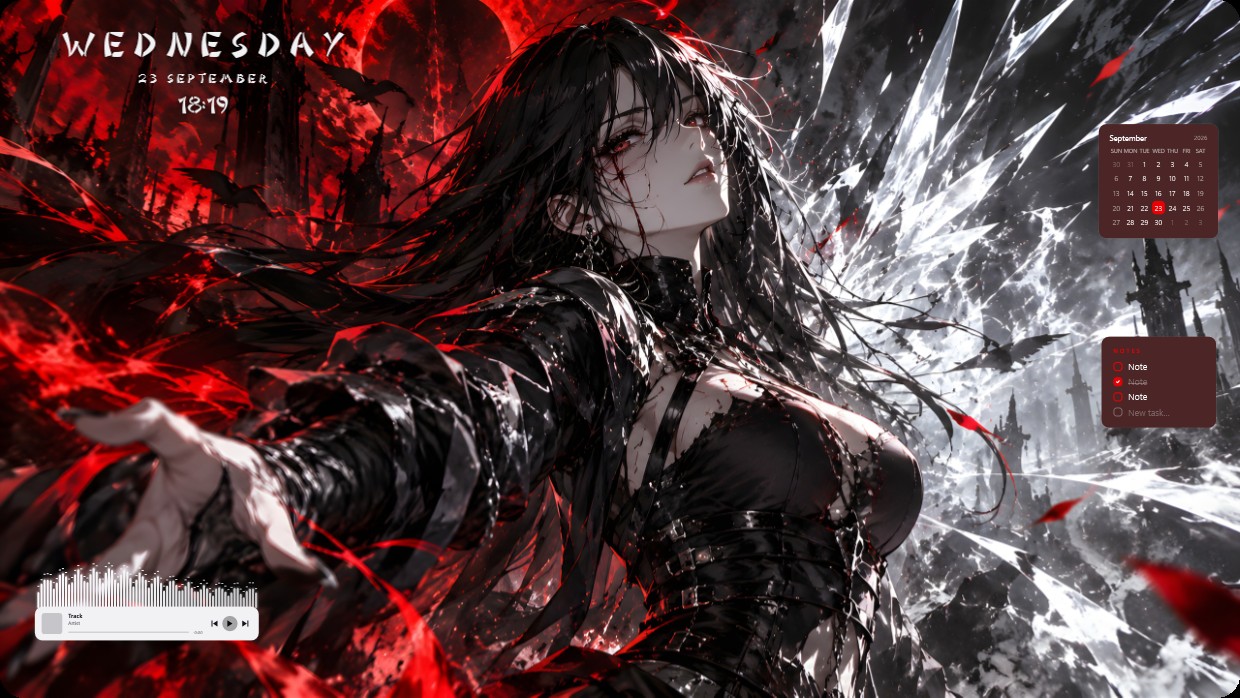
Red and White Anime
 de Vealo
3
3
0
de Vealo
3
3
0
Não encontra este setup no Vealo ou no Steam? O Steam oculta os 18+ até que o conteúdo adulto seja permitido nas configurações. Abrir configurações do Steam
O que contém
Disposição dos widgets2KVermelhoRelógioPlayerCalendárioNotasVisualizadorEfeitosIluminação
The wallpaper shows a female character with long black hair and red eyes extending her hand against a backdrop of red skies, dark ruins, and flying bats. The main colors are red, black, and white, creating a high contrast scene that feels cold and dramatic. Widgets include a clock in the top left, a calendar and notes panel on the right, and a player bar at the bottom. All widgets use light-colored text with semi-transparent backgrounds to blend into the image. This 2K setup includes lighting effects. Fans of dark fantasy themes will like it.
Como instalar este setup
- Instale o Vealo pela Steam. A versão gratuita basta.
- Clique em «Inscrever-se no Steam» nesta página ou encontre o setup na aba «Workshop» dentro do Vealo.
- Abra o Vealo, entre no Estúdio, aba «Workshop», «Meus setups», e clique em «Aplicar». Papel de parede, tema, widgets, cursor e iluminação mudam em um clique. O tamanho dos seus ícones continua como você definiu.
Setups parecidos
Todos os setups
Uma área de trabalho limpa com um clique
Teste no seu computador antes de comprar.
Windows 10 / 11