18+
Deep Space
 by Vealo
1
3
0
by Vealo
1
3
0
Can't find this setup in Vealo or Steam? Steam hides 18+ until adult content is allowed in your settings. Open Steam settings
What is inside
Full desktopLive wallpaper4KPurpleClockPlayerLighting
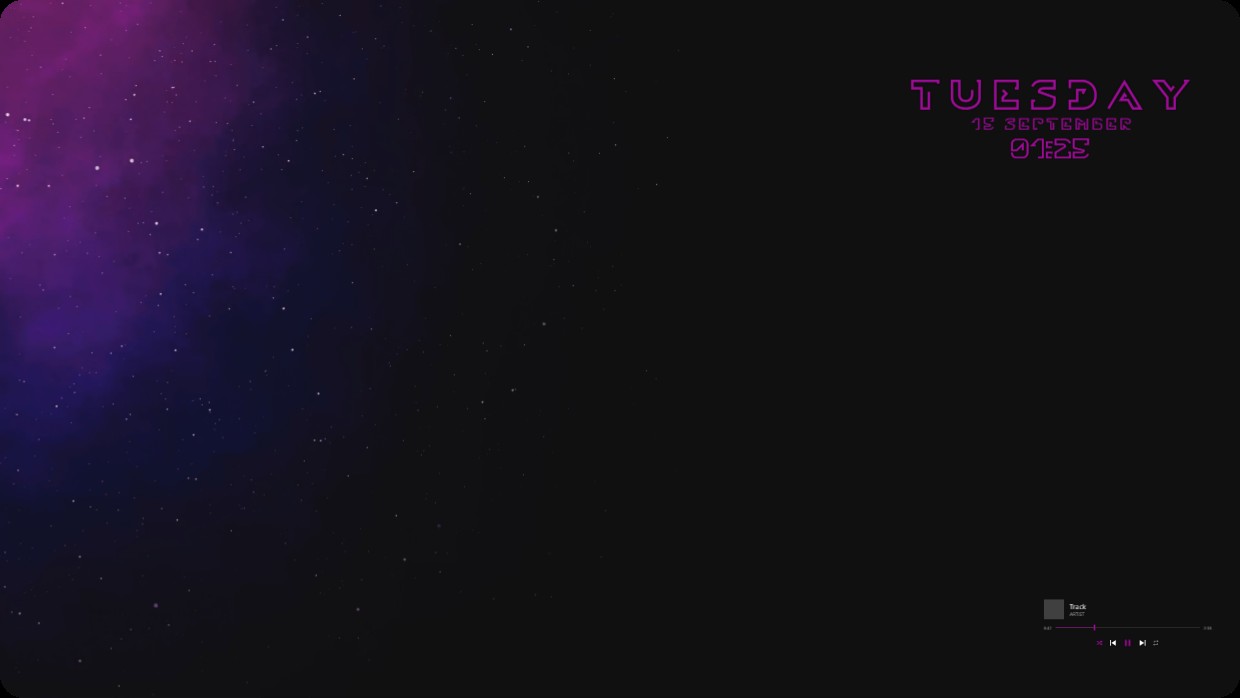
A cosmic nebula in purple and blue fills the left side of a dark screen. The right side holds glowing pink text showing day date and time. A small music player widget rests at bottom right. All elements are minimalist and translucent against the starry background. This full desktop setup uses a live wallpaper in 4K resolution. People who prefer quiet cosmic visuals will like it.
How to install this setup
- Install Vealo from Steam. The free version is enough.
- Press Subscribe in Steam on this page, or find this setup in the Workshop tab inside Vealo.
- Open Vealo, go to Studio, then Workshop, then My setups, and press Apply. Wallpaper, theme, widgets, cursor and lighting change in one click. Your icon size stays as you set it.
Similar setups
All setups


A clean desktop in one click
Try it on your own machine before you buy anything.
Windows 10 / 11