18+
Учиха
 de _Yuvelir_
10
3
0
de _Yuvelir_
10
3
0
¿No encuentras este setup en Vealo o Steam? Steam oculta los 18+ hasta que permites el contenido para adultos en los ajustes. Abrir ajustes de Steam
Qué contiene
Escritorio completoFondo animado4KRojoRelojReproductorSistemaCalendarioTiempoNotasVisualizadorEfectosIluminación
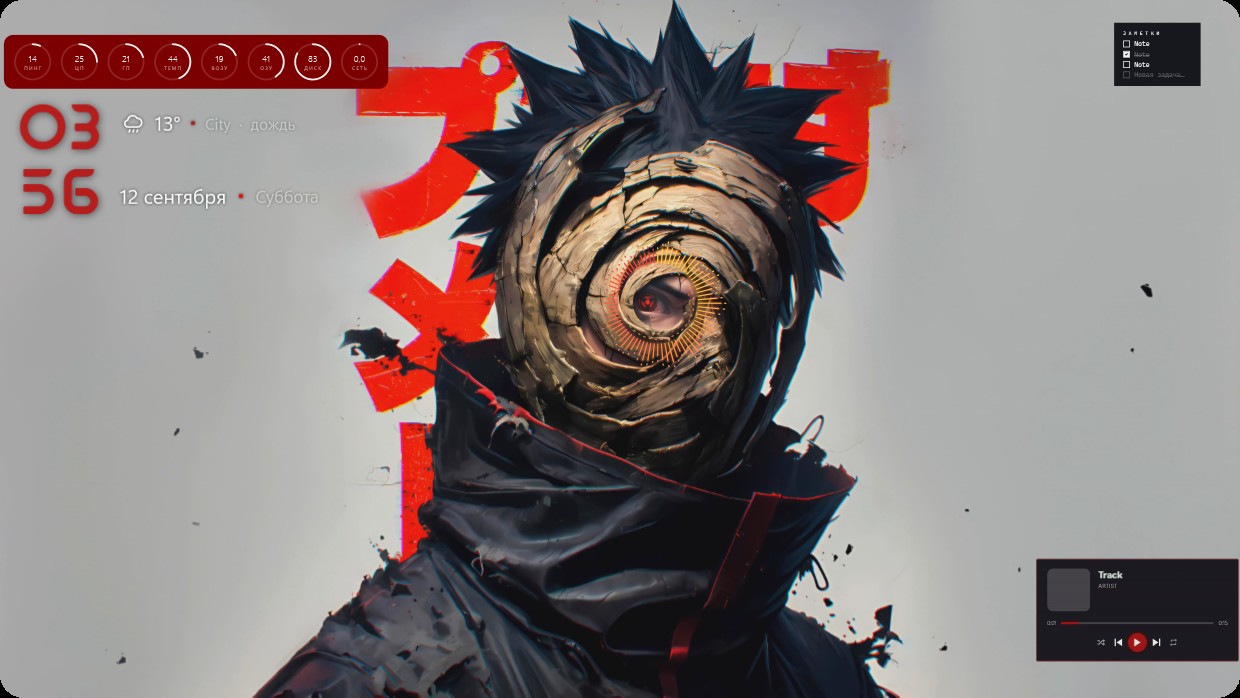
The wallpaper shows a character with spiky black hair wearing dark clothing and a spiral eye. The main colours are red, black and grey. The scene is bright with warm lighting. Widgets include a clock in large red numbers on the left, system meters above it, weather and calendar details below, and a player bar at the bottom right. All widgets have semi-transparent red text or backgrounds that blend into the image. This is a full desktop setup with live wallpaper and 4K resolution from Vealo’s Steam Workshop. Fans of anime aesthetics will like this.
Cómo instalar este setup
- Instala Vealo desde Steam. Con la versión gratuita basta.
- Pulsa «Suscribirse en Steam» en esta página o busca el setup en la pestaña «Workshop» dentro de Vealo.
- Abre Vealo, entra en el Estudio, pestaña «Workshop», «Mis setups», y pulsa «Aplicar». Fondo, tema, widgets, cursor e iluminación cambian en un clic. El tamaño de tus iconos se queda como lo tenías.
Setups parecidos
Todos los setups
 Vealo
Vealo

Un escritorio limpio con un clic
Pruébala en tu equipo antes de comprar nada.
Windows 10 / 11