18+
Учиха
 _Yuvelir_ द्वारा
10
3
0
_Yuvelir_ द्वारा
10
3
0
यह सेटअप Vealo या Steam में नहीं दिख रहा? जब तक सेटिंग्स में वयस्क कंटेंट की अनुमति न हो, Steam 18+ छिपाता है। Steam सेटिंग्स खोलें
अंदर क्या है
पूरा डेस्कटॉपलाइव वॉलपेपर4Kलालघड़ीप्लेयरसिस्टमकैलेंडरमौसमनोट्सविज़ुअलाइज़रइफ़ेक्ट्सलाइटिंग
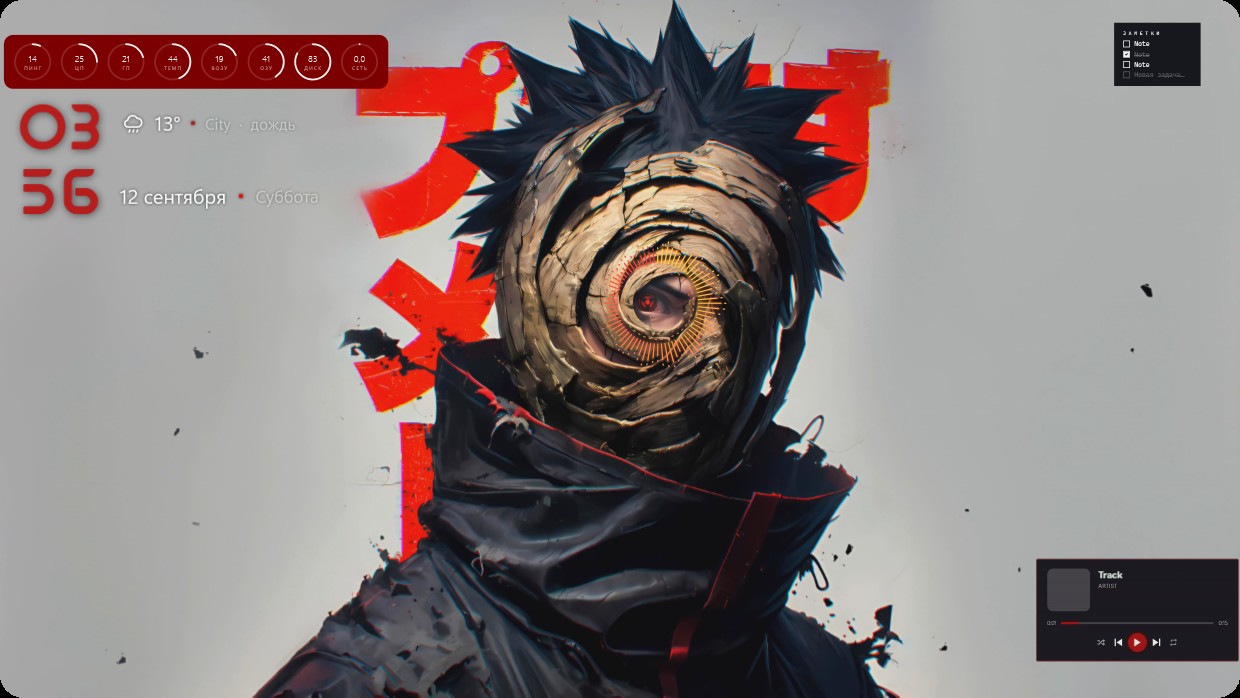
The wallpaper shows a character with spiky black hair wearing dark clothing and a spiral eye. The main colours are red, black and grey. The scene is bright with warm lighting. Widgets include a clock in large red numbers on the left, system meters above it, weather and calendar details below, and a player bar at the bottom right. All widgets have semi-transparent red text or backgrounds that blend into the image. This is a full desktop setup with live wallpaper and 4K resolution from Vealo’s Steam Workshop. Fans of anime aesthetics will like this.
यह सेटअप कैसे इंस्टॉल करें
- Steam से Vealo इंस्टॉल करें। मुफ़्त वर्ज़न काफ़ी है।
- इस पेज पर «Steam में सब्सक्राइब करें» दबाएँ, या Vealo के अंदर «Workshop» टैब में यह सेटअप ढूँढें।
- Vealo खोलें, Studio में जाएँ, «Workshop» टैब, «मेरे सेटअप», और «लागू करें» दबाएँ। वॉलपेपर, थीम, विजेट, कर्सर और लाइटिंग एक क्लिक में बदल जाते हैं। आइकन का साइज़ आपका ही रहता है।
मिलते-जुलते सेटअप
सभी सेटअप
 Vealo
Vealo


एक क्लिक में साफ़ डेस्कटॉप
कुछ भी खरीदने से पहले अपने कंप्यूटर पर आज़माएँ।
Windows 10 / 11