18+
Minecraft Steve
 di Vealo
3
1
0
di Vealo
3
1
0
Non trovi questo setup in Vealo o su Steam? Steam nasconde i 18+ finché non permetti i contenuti per adulti nelle impostazioni. Apri impostazioni Steam
Cosa contiene
Disposizione widget2KVerdeOrologioLettoreCalendarioNoteVisualizzatoreEffettiIlluminazione
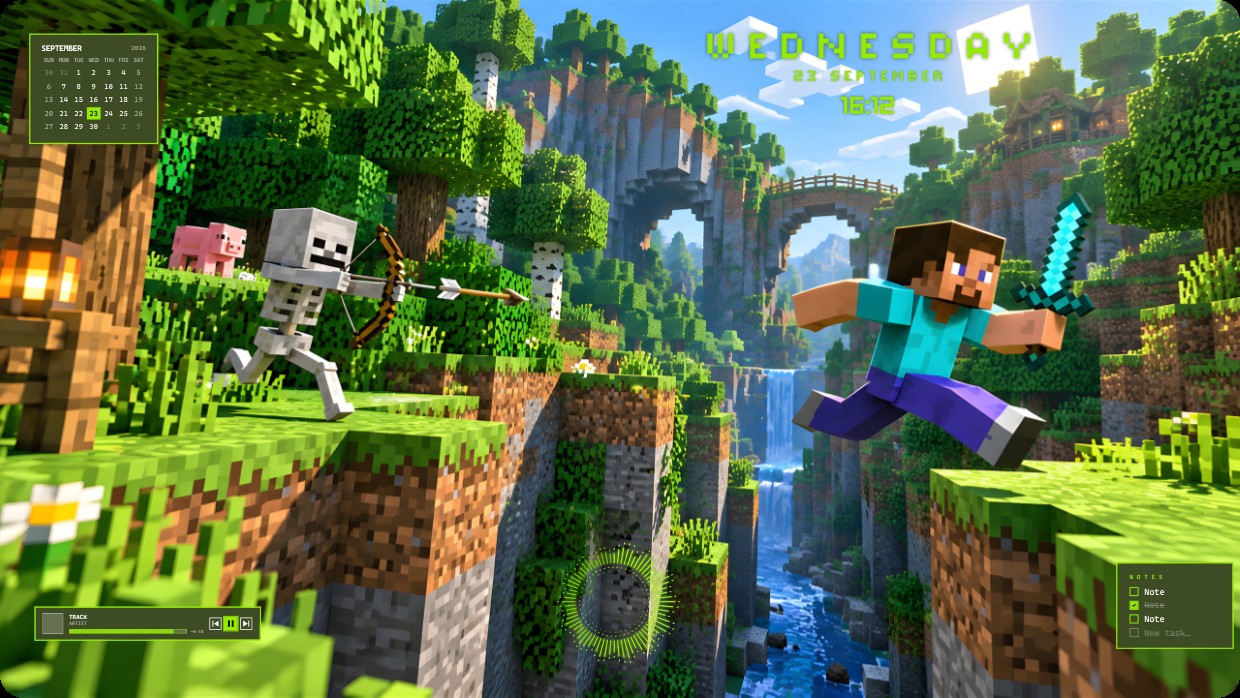
The wallpaper shows a Minecraft scene with Steve leaping across a canyon while a skeleton aims an arrow nearby. The main colours are bright green, blue sky, and earthy browns under warm sunlight. The mood is adventurous and lively. Widgets include a calendar in the top left, time and day at the top right, a player bar at bottom left, and notes at bottom right. All widgets use small white or light green text on semi-transparent dark panels. This setup uses 2K resolution and includes lighting effects. Minecraft fans will like it.
Come installare questo setup
- Installa Vealo da Steam. Basta la versione gratuita.
- Premi «Iscriviti su Steam» in questa pagina oppure cerca il setup nella scheda «Workshop» dentro Vealo.
- Apri Vealo, vai nello Studio, scheda «Workshop», «I miei setup», e premi «Applica». Sfondo, tema, widget, cursore e illuminazione cambiano in un clic. La dimensione delle icone resta quella che hai scelto.
Setup simili
Tutti i setup




Una scrivania pulita con un clic
Provala sul tuo computer prima di comprare.
Windows 10 / 11